Skip to content

perf: stop Getting started and the Spend empty state re-rendering when Create expense opens - #106712

Open
BartekObudzinski wants to merge 3 commits into
Expensify:mainfrom
callstack-internal:perf/create-expense-skip-draft-rerenders
Open

BartekObudzinski wants to merge 3 commits into
Expensify:mainfrom
callstack-internal:perf/create-expense-skip-draft-rerenders

Conversation

@BartekObudzinski

@BartekObudzinski BartekObudzinski commented Nov 12, 2026 •

Copy link
Copy Markdown
Contributor

Explanation of Change

Starting Create expense writes a transaction draft. Two screens that stay mounted while it opens subscribed to the list of draft IDs, so they re-rendered in the same commit that mounts the Create expense page:

  1. Getting started on Home (useGettingStartedItems). Home is the screen under the RHP, so it is still mounted.
  2. The Spend empty state (EmptySearchView). Hidden native tabs are not frozen since the native tab bar.

Both only use the IDs inside a press handler, to clear old drafts in startMoneyRequest. They now read the drafts with Onyx.get when the button is pressed instead of subscribing, so a draft write no longer re-renders them. EmptySearchView also passes the screen focus from Search to useSearchTypeMenuSections, the same gate #105620 added for the narrow Spend menu, so its Submit button stops watching drafts while Spend is hidden.

On these two buttons the span now starts after Onyx.get resolves, which is a cache read. The Create menu path is unchanged.

Performance, iOS simulator (iPhone 18 Pro, DEV build), new account, ManualOpenCreateExpense opened from Home through the actions menu, 9 interleaved blocks of 6 opens after warmup:

Build Median Mean p90
main 406ms 417ms 449ms
This PR 383.5ms 386ms 416ms

In the commit that mounts the page, GettingStartedSection (about 9ms) and EmptySearchView (about 6ms) no longer render. Accounts that already have expenses do not show these two sections, so they will see little change.

Fixed Issues

$ #105517
PROPOSAL:

Tests

  1. Sign in with a new account on iOS or Android and open Home.
  2. In Getting started, tap Create an expense. Verify the Create expense page opens.
  3. Go back, open the Spend tab, and tap Create expense in the empty state. Verify the Create expense page opens.
  4. Go back to Home, open the actions menu and tap Create expense. Verify the Create expense page opens.
  • Verify that no errors appear in the JS console

Offline tests

Same as tests while offline. Opening Create expense makes no API call, so it works the same.

QA Steps

Same as tests.

  • Verify that no errors appear in the JS console

PR Author Checklist

  • I linked the correct issue in the ### Fixed Issues section above
  • I wrote clear testing steps that cover the changes made in this PR
    • I added steps for local testing in the Tests section
    • I added steps for the expected offline behavior in the Offline steps section
    • I added steps for Staging and/or Production testing in the QA steps section
    • I added steps to cover failure scenarios (i.e. verify an input displays the correct error message if the entered data is not correct)
    • I turned off my network connection and tested it while offline to ensure it matches the expected behavior (i.e. verify the default avatar icon is displayed if app is offline)
    • I tested this PR with a High Traffic account against the staging or production API to ensure there are no regressions (e.g. long loading states that impact usability).
  • I included screenshots or videos for tests on all platforms
  • I ran the tests on all platforms & verified they passed on:
    • Android: Native
    • Android: mWeb Chrome
    • iOS: Native
    • iOS: mWeb Safari
    • MacOS: Chrome / Safari
  • I verified there are no console errors (if there's a console error not related to the PR, report it or open an issue for it to be fixed)
  • I verified any copy / text that was added to the app is either coming verbatim from figma or has been approved by marketing (in order to get marketing approval, ask the Bug Zero team member to add the Waiting for copy label to the issue)
  • If a new code pattern is added I verified it was agreed to be used by multiple Expensify engineers
  • I tested other components that can be impacted by my changes (i.e. if the PR modifies a shared library or component like Avatar, I verified the components using Avatar are working as expected)
  • If new assets were added or existing ones were modified, I verified that:
    • The assets are optimized and compressed (for SVG files, run npm run compress-svg)
    • The assets load correctly across all supported platforms.
  • If the PR modifies code that runs when editing or sending messages, I tested and verified there is no unexpected behavior for all supported markdown - URLs, single line code, code blocks, quotes, headings, bold, strikethrough, and italic.
  • If the PR modifies a generic component, I tested and verified that those changes do not break usages of that component in the rest of the App (i.e. if a shared library or component like Avatar is modified, I verified that Avatar is working as expected in all cases)
  • If the PR modifies a component related to any of the existing Storybook stories, I tested and verified all stories for that component are still working as expected.
  • If the PR modifies a component or page that can be accessed by a direct deeplink, I verified that the code functions as expected when the deeplink is used - from a logged in and logged out account.
  • If the PR modifies the UI (e.g. new buttons, new UI components, changing the padding/spacing/sizing, moving components, etc) or modifies the form input styles:
    • I verified that all the inputs inside a form are aligned with each other.
    • I added Design label and/or tagged @Expensify/design so the design team can review the changes.
  • If the PR adds or modifies the UI:
    • I asked an AI agent to review the changes for accessibility issues and addressed its findings.
    • I tested with a screen reader (VoiceOver on macOS) and verified all new/changed elements are reachable with a logical focus order.
    • I verified all new/changed elements have meaningful accessible names and roles.
    • I verified state changes are announced (e.g. checked/unchecked, expanded/collapsed, selected).
  • I added unit tests for any new feature or bug fix in this PR to help automatically prevent regressions in this user flow.
  • If the main branch was merged into this PR after a review, I tested again and verified the outcome was still expected according to the Test steps.

Screenshots/Videos

Android: Native
Android: mWeb Chrome
iOS: Native

Getting started and Spend empty state Create expense buttons: VIDEO_TO_UPLOAD

iOS: mWeb Safari
MacOS: Chrome / Safari

@BartekObudzinski
BartekObudzinski marked this pull request as ready for review November 13, 2026 07:23
@BartekObudzinski
BartekObudzinski requested review from a team as code owners November 13, 2026 07:23
@melvin-bot
melvin-bot Bot requested review from nyomanjyotisa and trjExpensify and removed request for a team November 13, 2026 07:23
@melvin-bot

melvin-bot Bot commented Nov 13, 2026

Copy link
Copy Markdown

@nyomanjyotisa Please copy/paste the Reviewer Checklist from here into a new comment on this PR and complete it. If you have the K2 extension, you can simply click: [this button]

@melvin-bot
melvin-bot Bot requested a review from a team November 13, 2026 07:23
@github-actions

Copy link
Copy Markdown
Contributor

This PR adds a new Onyx.get or Onyx.multiGet call, so I've requested a review from the Onyx performance reviewers (@tgolen, @mountiny, @chuckdries, @luacmartins). A review from any one of them is enough. Please check the call against the Onyx.get() rules in ONYX-DATA-MANAGEMENT and ONYX-1.

@melvin-bot
melvin-bot Bot removed the request for review from a team November 13, 2026 07:23
@chatgpt-codex-connector

chatgpt-codex-connector Bot commented Nov 13, 2026 •

Copy link
Copy Markdown
Codex Review Summary: ✅ Completed

This comment shows the latest Codex review activity on this pull request.

Review Status Commit Review trigger
📝 Code Review ✅ Completed 2026-11-13T07:41:55.439673Z 5b33063 Draft marked ready
ℹ️ About Codex in GitHub

Your team has set up Codex to review pull requests in this repo. Reviews are triggered when you

  • Open a pull request for review
  • Mark a draft as ready
  • Comment "@codex review" or "@codex security review".

Codex reacts with 👀 while any review is running, comments if it has suggestions, and reacts with 👍 once all reviews finish with no findings.

@BartekObudzinski

Copy link
Copy Markdown
Contributor Author

@MelvinBot test

@MelvinBot

MelvinBot commented Nov 13, 2026 •

Copy link
Copy Markdown
Contributor

🤖 Web test steps verification results: ⚠️ partial

Verified Home and Spend’s Create expense entry point on dev NewDot web. Getting started was absent, overlapping dialogs blocked further navigation, and offline and console checks were unavailable through permitted tools; no performance conclusions were drawn.
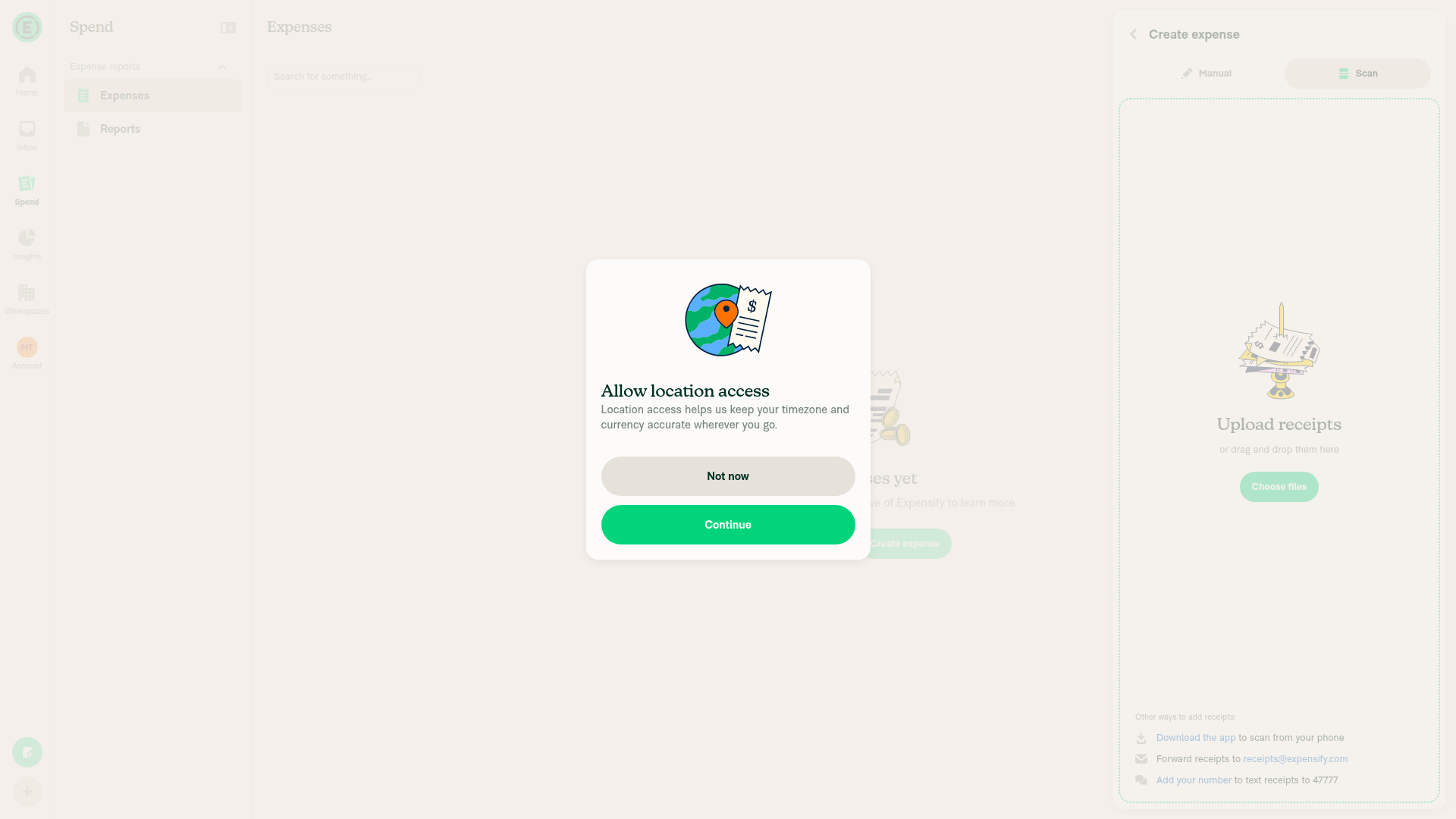
Create expense opened from Spend

Step Status
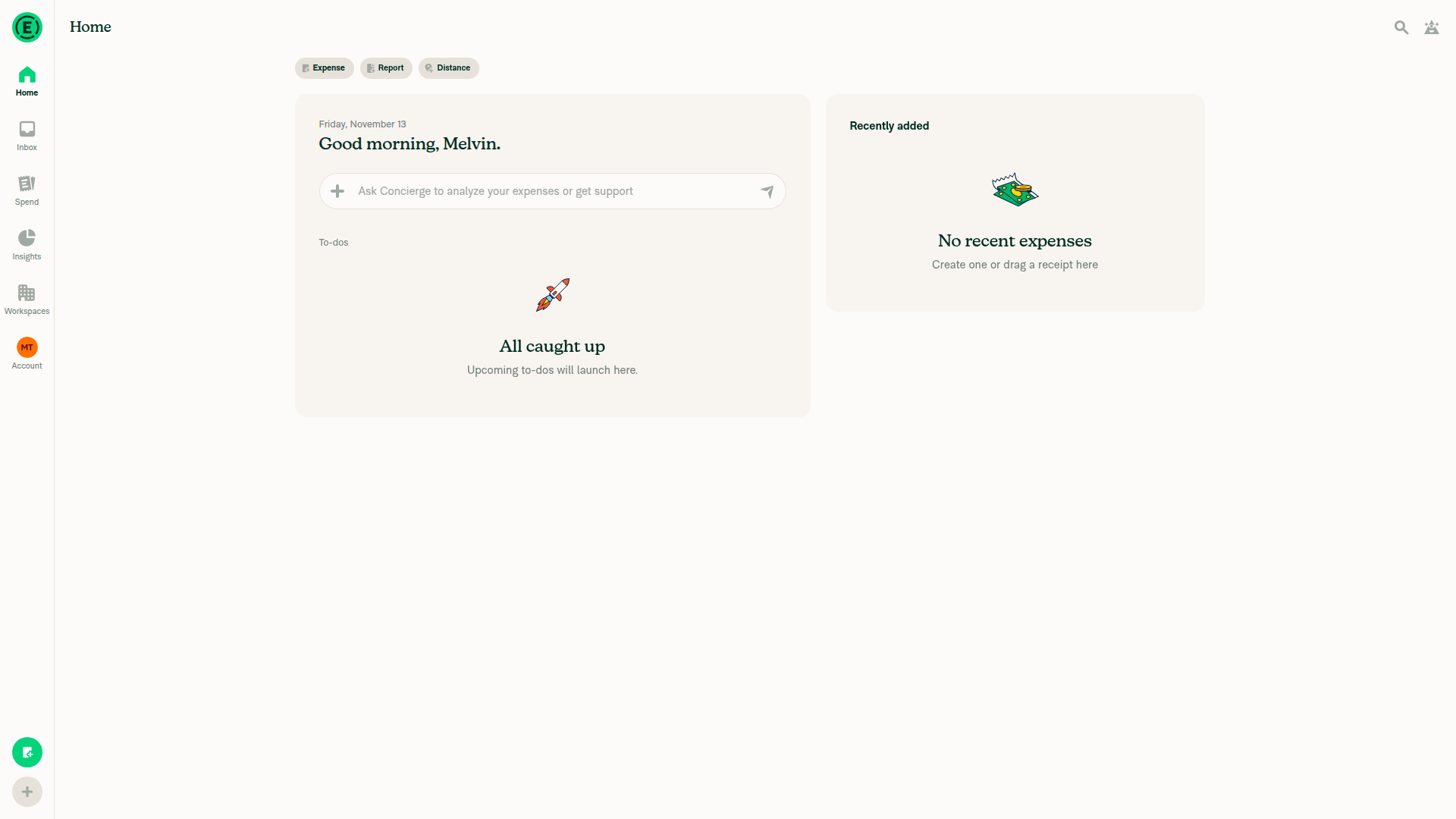
1. Open Home with a fresh signed-in accountSigned in with onboarding complete; Home displayed empty recent expenses.
Home with empty recent expenses
✅
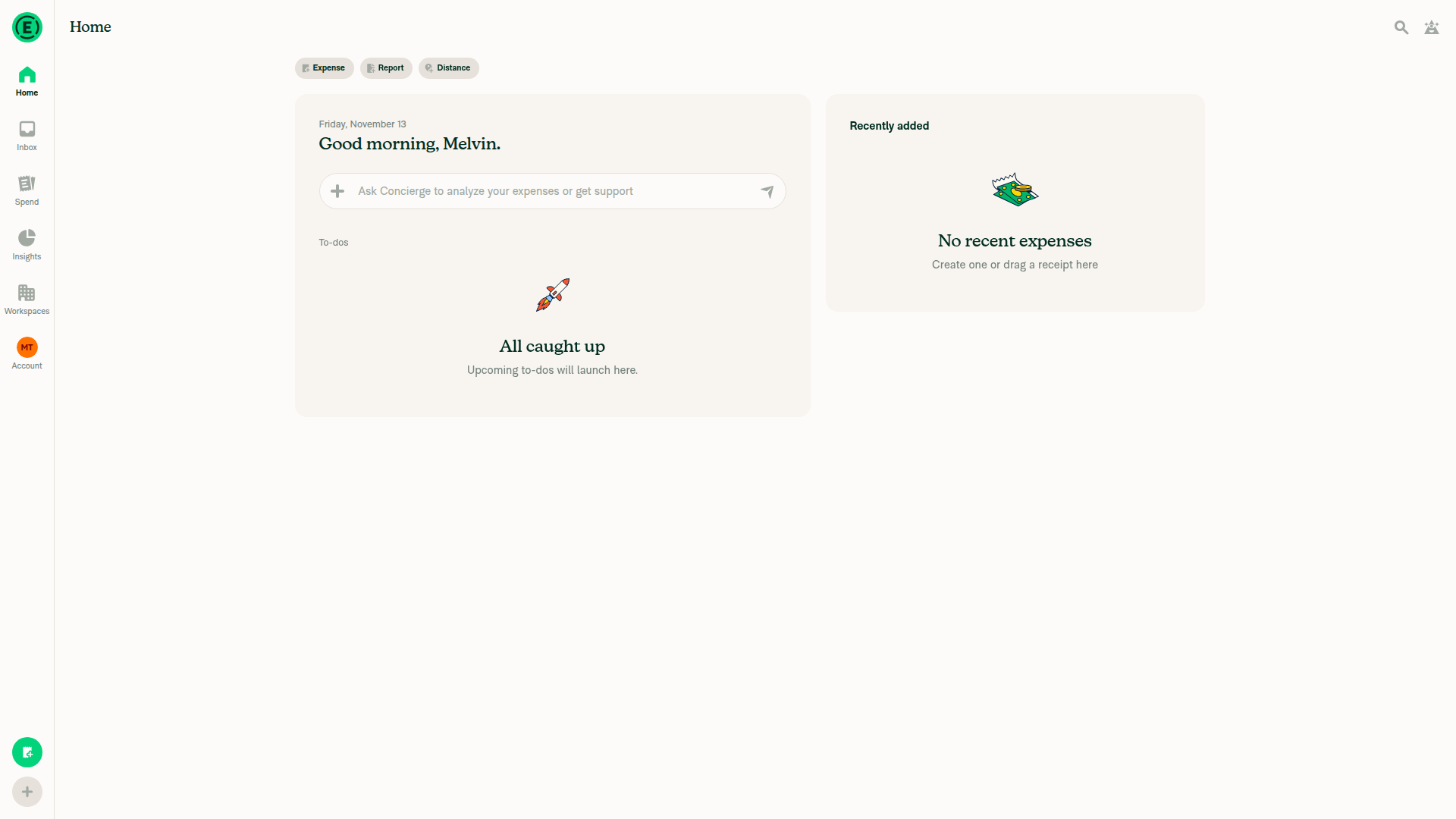
2. Getting started → Create an expenseBlocked: Getting started and its expense action were absent.
Home without Getting started
❌
3. Spend empty state → Create expenseClicking Create expense opened the Create expense dialog.
Create expense opened from Spend
✅
4. Home actions menu → Create expenseBlocked: overlapping dialogs prevented returning Home.
❌
5. Check JS console errors onlineUnverified: console inspection unavailable through permitted tools.
❌
6. Offline: open HomeUnverified: offline switching unavailable through permitted tools.
❌
7. Offline: Getting started → Create an expenseUnverified: offline switching unavailable; Getting started was also absent online.
❌
8. Offline: Spend empty state → Create expenseUnverified: offline switching unavailable through permitted tools.
❌
9. Offline: Home actions menu → Create expenseUnverified: offline switching unavailable through permitted tools.
❌
10. Check JS console errors offlineUnverified: offline switching and console inspection unavailable through permitted tools.
❌

view run · view recording

This branch has not been deployed

No deployments
Sign up for free to join this conversation on GitHub. Already have an account? Sign in to comment

Labels

None yet

Projects

None yet

Development

Successfully merging this pull request may close these issues.

2 participants