Skip to content

MenuItem decomposition: migrate seven illustrated menu rows - #106773

Merged
roryabraham merged 2 commits into
mainfrom
claude-composableIllustrationRows
Nov 13, 2026
Merged

roryabraham merged 2 commits into
mainfrom
claude-composableIllustrationRows

Conversation

@MelvinBot

@MelvinBot MelvinBot commented Nov 12, 2026 •

Copy link
Copy Markdown
Contributor

Explanation of Change

Migrate the seven requested legacy MenuItem JSX sites to the existing compound API, without adding presets or props.

  • Use MenuItem.Root/Row, with plain Icon illustrations in Leading. Leading icons have no fill prop, preserving each asset's own colors.
  • Retain each icon's dimensions and its popoverMenuIcon wrapper plus the existing margins or bank-specific icon styles. Move wrapper styles to Root and compose Title/Description/Trailing Chevron explicitly.
  • Preserve every existing Sentry label, branch, callback, and authentication gate.
  • Locked Category expense defaults render a Lock instead of a Chevron and remain pressable for the existing missing-tax-rate explainer. A local, no-props lock helper reads row interaction/theme context so this non-illustration icon retains its legacy dark-theme and hover/pressed fills. It is not a new exported leaf or preset.
  • Remove the seven obsolete legacy lint allowances. Update the existing new-rule test to exercise the real compound row instead of mocking the removed monolithic props.

AI Tests

  • Formatting-only follow-up (2026-11-13): applied Oxfmt to the four files reported by CI. A second npm run fmt produced no further diff; staged whitespace checks passed. Typecheck, changed-file lint, spelling, and all 22 tests in the two related Jest suites passed.
  • Follow-up limits: full lint (120s), full Jest (180s), Storybook smoke (60s), and compiler compliance wrapper (90s) timed out. The matrix's prettier script is absent; the actual CI formatter (npm run fmt) passed instead. Inline review found no formatting-introduced violations; existing static-config composition findings and an unrelated suppression were left unchanged because restructuring those is outside this formatting-only request. No UI behavior was changed or re-tested.
  • PASS: all 22 tests in the two related Jest suites. Four new regression cases cover illustration fill/sizing, bank-purpose callback behavior, physical/virtual content and Sentry labels, locked Category's replacement/explainer behavior (including themed fill under a dark ThemeProvider), and unlocked Category navigation.
  • PASS: typecheck across all project configurations, changed-file lint, spelling, direct React Compiler checks on all five components, Storybook smoke test, and inline review/re-review (no remaining violations or regressions).
  • Limitations: full-repository lint and the compiler check-changed wrapper timed out. The configured matrix's prettier script is absent; a targeted formatter check was denied by the execution policy.
  • Browser verification was attempted but none of the migrated screens' visual behavior was confirmed. Rules was gated by the Control-plan requirement; Wallet/card/bank-account flows were not reached within the drive budget. No cards were issued or bank accounts configured.

Fixed Issues

$ #100312
PROPOSAL: #100312 (comment)

Tests

// TODO: The human co-author must fill out the tests you ran before marking this PR as "ready for review".
// Please describe what tests you performed that validates your changes worked.

Executed automated checks and browser limitations are recorded in AI Tests. Ready-for-review status was explicitly requested; visual parity remains a manual QA item.

  • Verify that no errors appear in the JS console

Offline tests

  1. Load the bank-purpose, card-type, rules, and existing-bank-account screens using test fixtures while online, then disconnect.
  2. Verify the bank-account flows retain their existing offline blocking views, rather than allowing a setup/configuration action offline.
  3. For screens still available offline, verify the illustrations, text, trailing indicators, and cached selection state remain consistent. Reconnect and verify existing navigation/selection behavior without duplicate actions.

QA Steps

Use staging/test fixtures only. Do not issue a real card or configure a real bank account.

  1. From Wallet → Add bank account, open the purpose step. Verify Get reimbursed and Make payments retain their original colored illustrations, dimensions, margins, text, bordered-row styling, and chevrons. Verify each choice enters its existing setup flow. Also check the Get reimbursed branch for a workspace collecting deposit accounts.
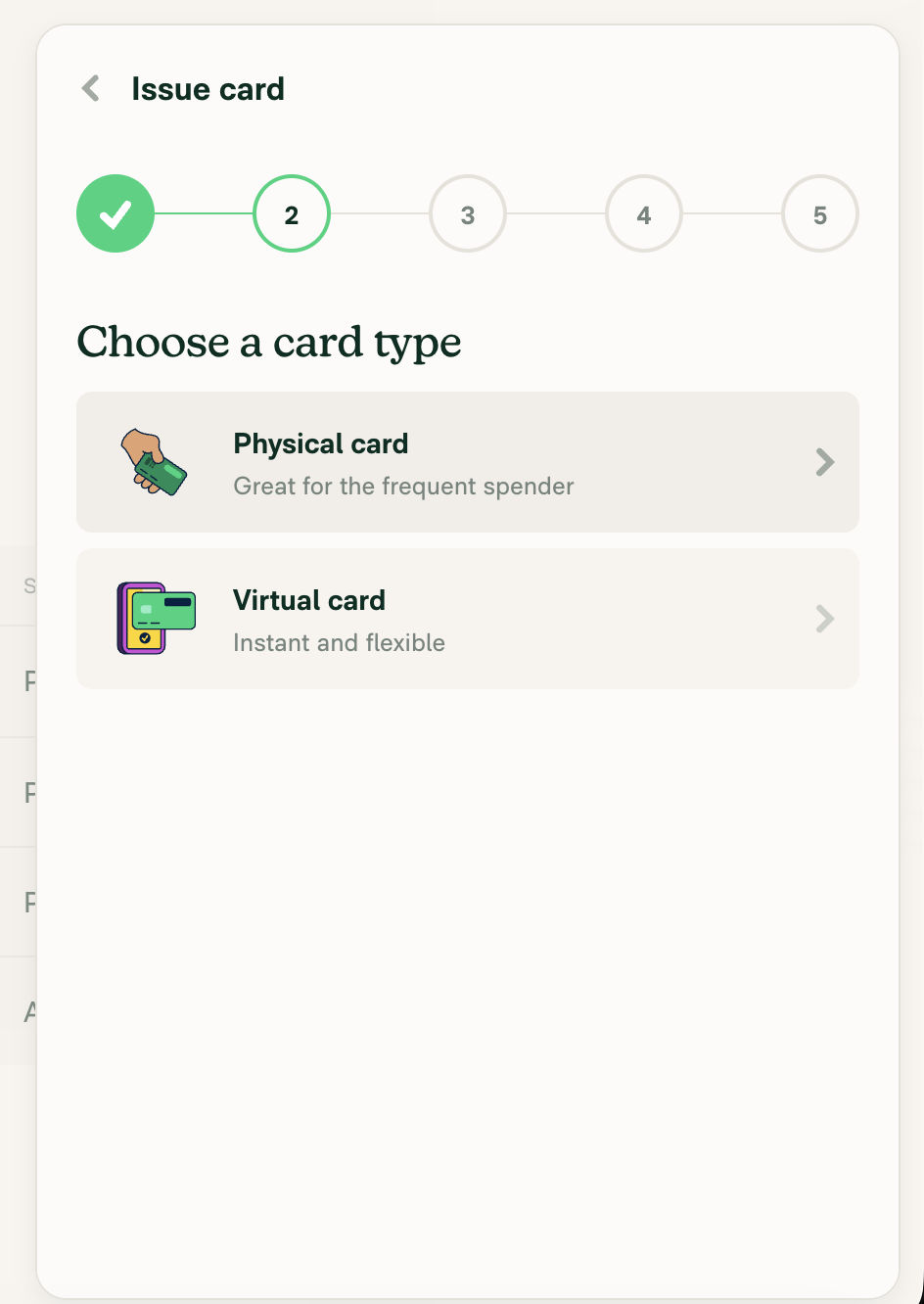
  2. In a card-enabled test workspace, start Issue new card and reach Card type. Verify Physical/Virtual illustrations keep their own colors and existing dimensions/margins, and both rows retain their title/description/chevron. Select each type in separate runs, verify the limit-type/confirmation flow and editing behavior are unchanged, and cancel before actual issuance.
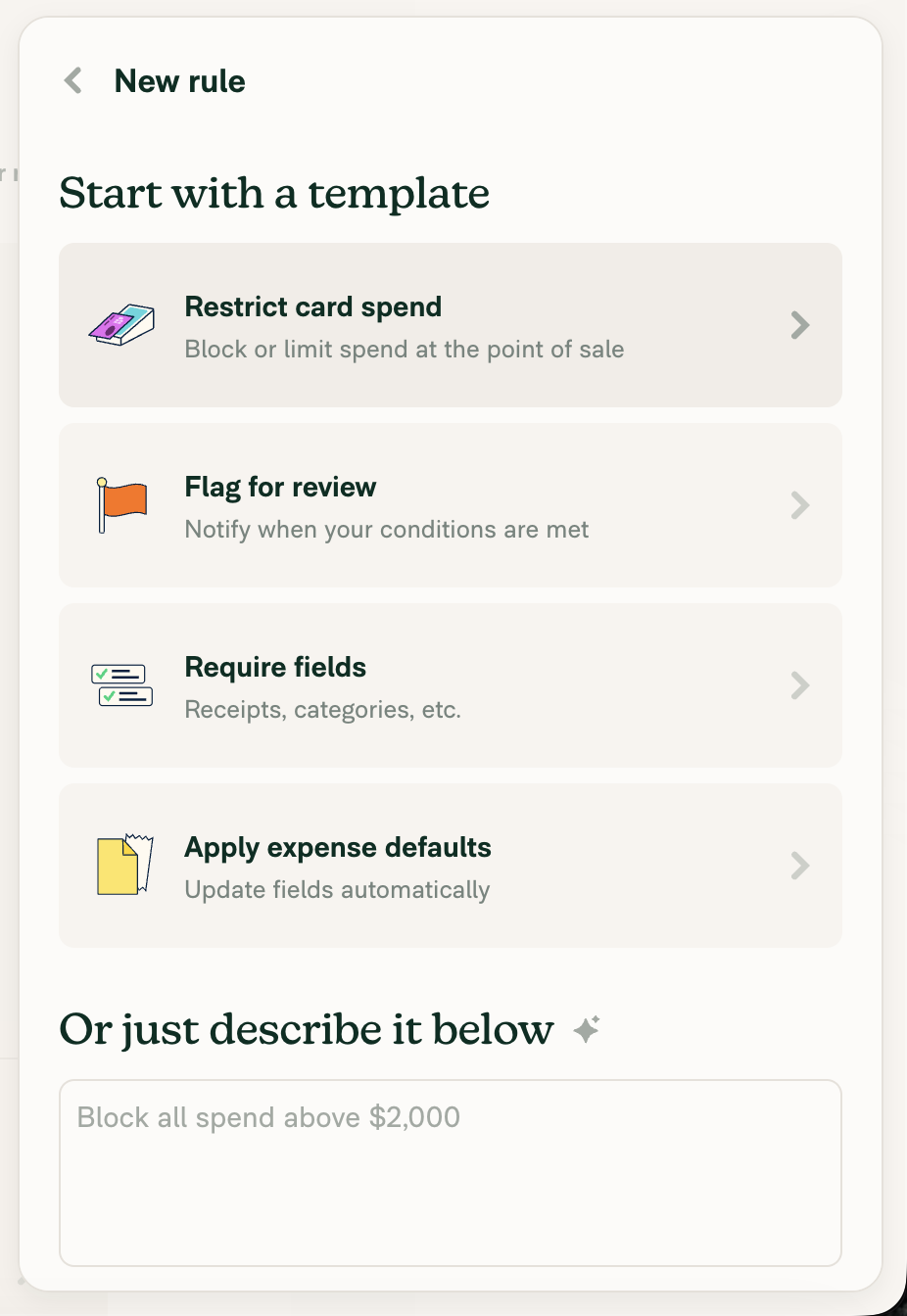
  3. In a Control workspace with Rules enabled, open New rule. Verify every visible template retains its illustration, text, padding, and chevron and opens its existing editor. Repeat from category settings to check the existing filtered options and category-scoped navigation.
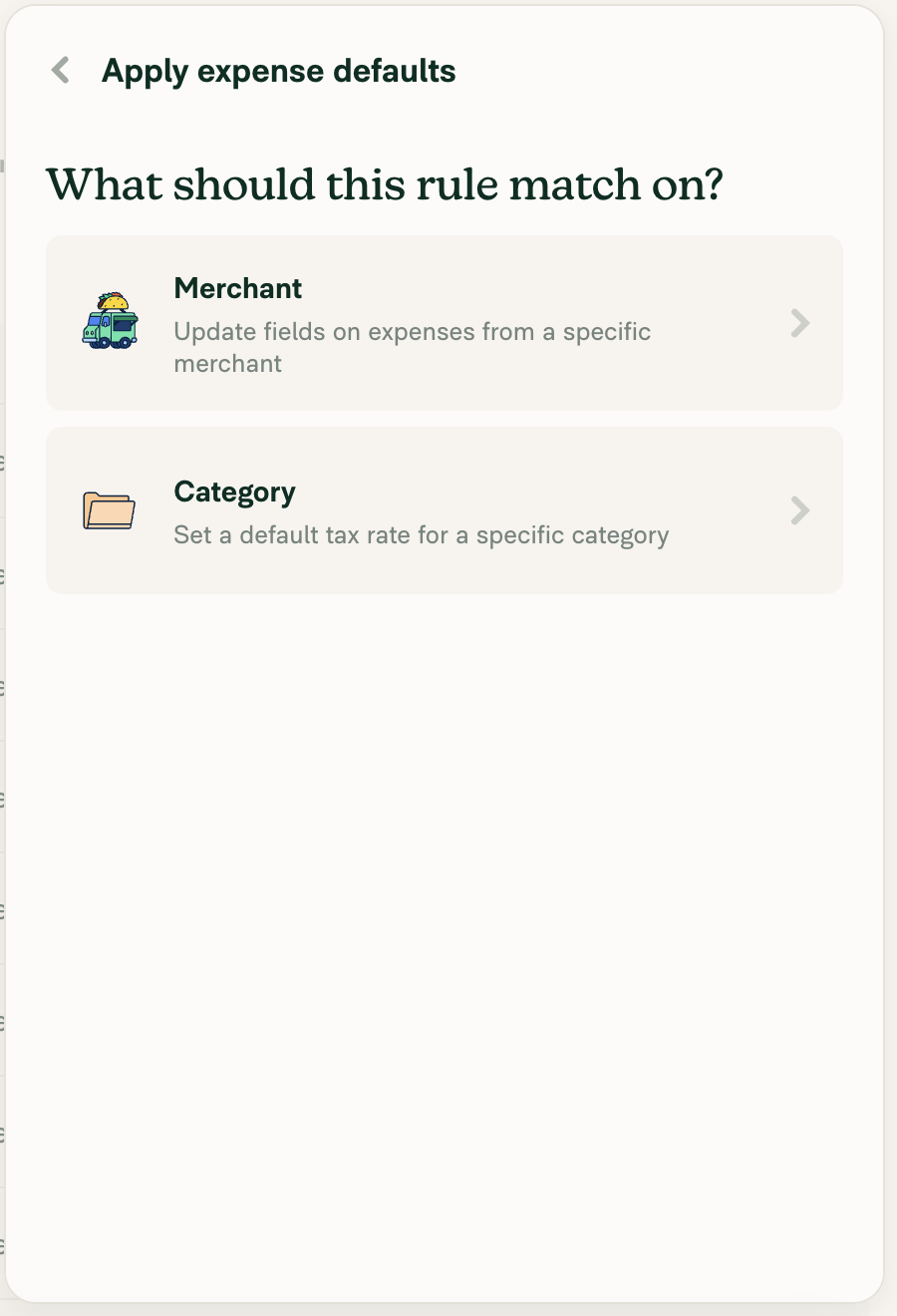
  4. Open Apply expense defaults. With no selectable category tax rate, verify Category has a Lock and no Chevron, remains pressable, and opens the existing explainer. Verify Merchant still has a Chevron and navigates. Repeat with taxes off and with taxes enabled but no selectable rate; confirm the appropriate existing explainer.
  5. Enable a selectable category tax rate. Verify Category changes to a Chevron and opens the category-default editor. Check the locked icon in light/dark themes and hovered/pressed states: it must retain a visible themed fill while the leading illustrations retain their own colors.
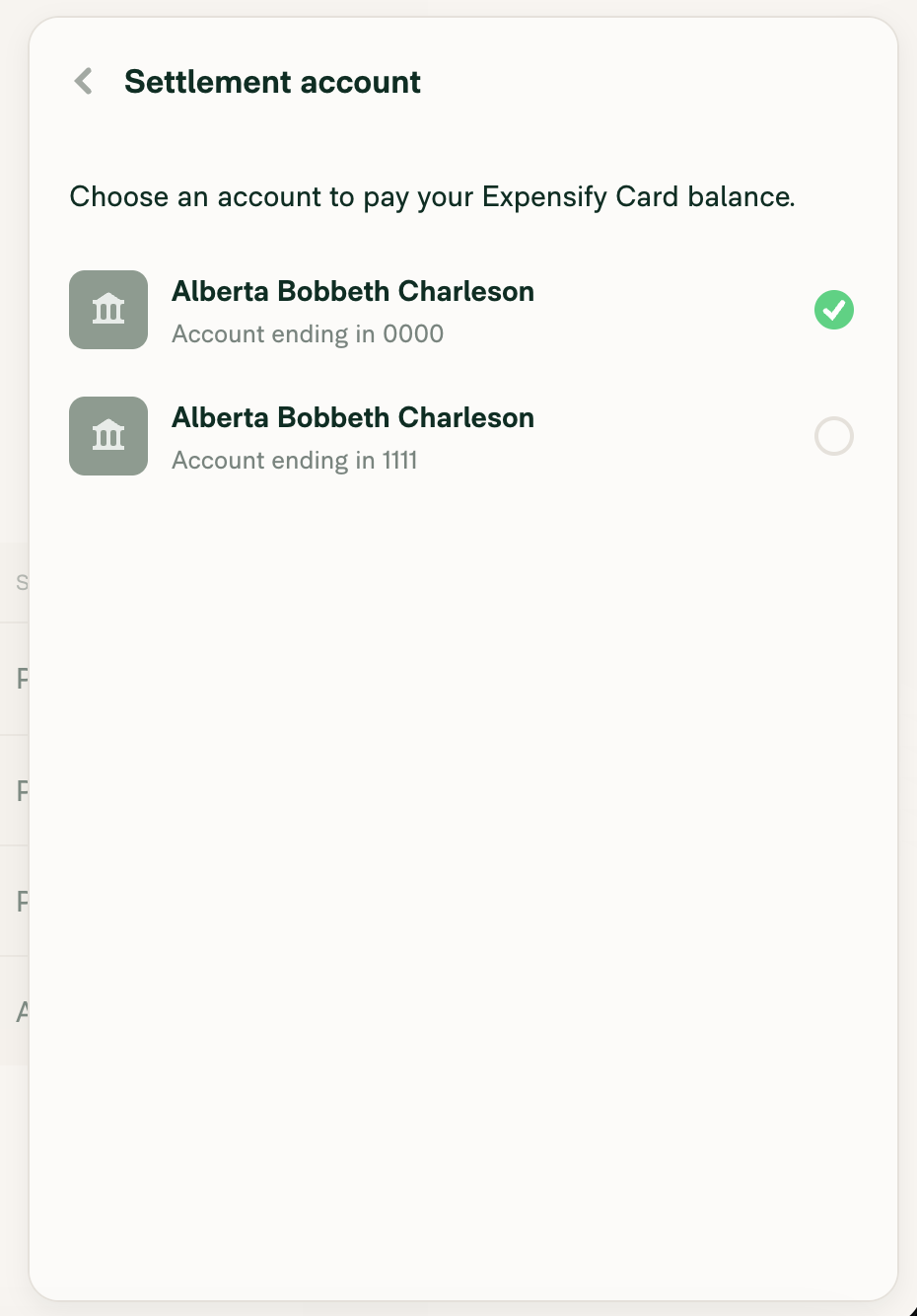
  6. In an Expensify Card test workspace with eligible bank-account fixtures, open the existing-bank-account chooser. Verify different bank logos retain their original colors, dimensions, and bank-specific margins, alongside bank name, account-ending description, and Chevron. Select a test account and verify the existing verification state transition; never use a real account.
  7. Verify narrow/wide layouts, keyboard activation, accessible row names, unchanged Sentry labels, and authentication gating. Confirm no JS console errors are introduced.
  • Verify that no errors appear in the JS console

PR Author Checklist

  • I linked the correct issue in the ### Fixed Issues section above
  • I wrote clear testing steps that cover the changes made in this PR
    • I added steps for local testing in the Tests section
    • I added steps for the expected offline behavior in the Offline steps section
    • I added steps for Staging and/or Production testing in the QA steps section
    • I added steps to cover failure scenarios (i.e. verify an input displays the correct error message if the entered data is not correct)
    • I turned off my network connection and tested it while offline to ensure it matches the expected behavior (i.e. verify the default avatar icon is displayed if app is offline)
    • I tested this PR with a High Traffic account against the staging or production API to ensure there are no regressions (e.g. long loading states that impact usability).
  • I included screenshots or videos for tests on all platforms
  • I ran the tests on all platforms & verified they passed on:
    • Android: Native
    • Android: mWeb Chrome
    • iOS: Native
    • iOS: mWeb Safari
    • MacOS: Chrome / Safari
  • I verified there are no console errors (if there's a console error not related to the PR, report it or open an issue for it to be fixed)
  • I verified any copy / text that was added to the app is either coming verbatim from figma or has been approved by marketing (in order to get marketing approval, ask the Bug Zero team member to add the Waiting for copy label to the issue)
  • If a new code pattern is added I verified it was agreed to be used by multiple Expensify engineers
  • I tested other components that can be impacted by my changes (i.e. if the PR modifies a shared library or component like Avatar, I verified the components using Avatar are working as expected)
  • If new assets were added or existing ones were modified, I verified that:
    • The assets are optimized and compressed (for SVG files, run npm run compress-svg)
    • The assets load correctly across all supported platforms.
  • If the PR modifies code that runs when editing or sending messages, I tested and verified there is no unexpected behavior for all supported markdown - URLs, single line code, code blocks, quotes, headings, bold, strikethrough, and italic.
  • If the PR modifies a generic component, I tested and verified that those changes do not break usages of that component in the rest of the App (i.e. if a shared library or component like Avatar is modified, I verified that Avatar is working as expected in all cases)
  • If the PR modifies a component related to any of the existing Storybook stories, I tested and verified all stories for that component are still working as expected.
  • If the PR modifies a component or page that can be accessed by a direct deeplink, I verified that the code functions as expected when the deeplink is used - from a logged in and logged out account.
  • If the PR modifies the UI (e.g. new buttons, new UI components, changing the padding/spacing/sizing, moving components, etc) or modifies the form input styles:
    • I verified that all the inputs inside a form are aligned with each other.
    • I added Design label and/or tagged @Expensify/design so the design team can review the changes.
  • If the PR adds or modifies the UI:
    • I asked an AI agent to review the changes for accessibility issues and addressed its findings.
    • I tested with a screen reader (VoiceOver on macOS) and verified all new/changed elements are reachable with a logical focus order.
    • I verified all new/changed elements have meaningful accessible names and roles.
    • I verified state changes are announced (e.g. checked/unchecked, expanded/collapsed, selected).
  • I added unit tests for any new feature or bug fix in this PR to help automatically prevent regressions in this user flow.
  • If the main branch was merged into this PR after a review, I tested again and verified the outcome was still expected according to the Test steps.

Screenshots/Videos

Android: Native
Android: mWeb Chrome
iOS: Native
iOS: mWeb Safari
MacOS: Chrome / Safari

Browser verification blocked by Control-plan gating. This is setup evidence, not successful visual verification of the migrated rows.

Rules blocked by Control-plan upgrade

Co-authored-by: Pujan Shah <Pujan92@users.noreply.github.com>
@MelvinBot
MelvinBot requested review from a team as code owners November 12, 2026 20:32
@melvin-bot melvin-bot Bot added Melvin-Test-Android Melvin-Test-Web Triggers Melvin to run the testing steps of the PR on web labels Nov 12, 2026
@melvin-bot
melvin-bot Bot requested review from Pujan92 and removed request for a team November 12, 2026 20:32
@melvin-bot

melvin-bot Bot commented Nov 12, 2026

Copy link
Copy Markdown

@Pujan92 Please copy/paste the Reviewer Checklist from here into a new comment on this PR and complete it. If you have the K2 extension, you can simply click: [this button]

@chatgpt-codex-connector

chatgpt-codex-connector Bot commented Nov 12, 2026 •

Copy link
Copy Markdown
Codex Review Summary: ✅ Completed

This comment shows the latest Codex review activity on this pull request.

Review Status Commit Review trigger
📝 Code Review ✅ Completed 2026-11-12T20:38:55.378046Z 016c600 PR opened
ℹ️ About Codex in GitHub

Your team has set up Codex to review pull requests in this repo. Reviews are triggered when you

  • Open a pull request for review
  • Mark a draft as ready
  • Comment "@codex review" or "@codex security review".

Codex reacts with 👀 while any review is running, comments if it has suggestions, and reacts with 👍 once all reviews finish with no findings.

@melvin-bot
melvin-bot Bot requested review from trjExpensify and removed request for a team November 12, 2026 20:32
@MelvinBot
MelvinBot requested a review from a team November 12, 2026 20:33
@melvin-bot
melvin-bot Bot requested review from roryabraham and removed request for a team November 12, 2026 20:33
@melvin-bot

melvin-bot Bot commented Nov 12, 2026

Copy link
Copy Markdown

@roryabraham Please copy/paste the Reviewer Checklist from here into a new comment on this PR and complete it. If you have the K2 extension, you can simply click: [this button]

@codecov

codecov Bot commented Nov 12, 2026 •

Copy link
Copy Markdown

Codecov Report

❌ Looks like you've decreased code coverage for some files. Please write tests to increase, or at least maintain, the existing level of code coverage. See our documentation here for how to interpret this table.

Files with missing lines Coverage Δ
...AccountPurposePage/substeps/BankAccountPurpose.tsx 90.00% <100.00%> (+90.00%) ⬆️
.../workspace/expensifyCard/issueNew/CardTypeStep.tsx 85.45% <100.00%> (+85.45%) ⬆️
...ace/rules/MerchantRules/ExpenseDefaultTypePage.tsx 100.00% <100.00%> (+100.00%) ⬆️
src/pages/workspace/rules/RulesNewPage.tsx 79.62% <100.00%> (-6.53%) ⬇️
...pensifyCard/WorkspaceExpensifyCardBankAccounts.tsx 0.00% <0.00%> (ø)
... and 190 files with indirect coverage changes

@MelvinBot

MelvinBot commented Nov 12, 2026 •

Copy link
Copy Markdown
Contributor Author

🤖 Android test steps verification results: ❌ fail

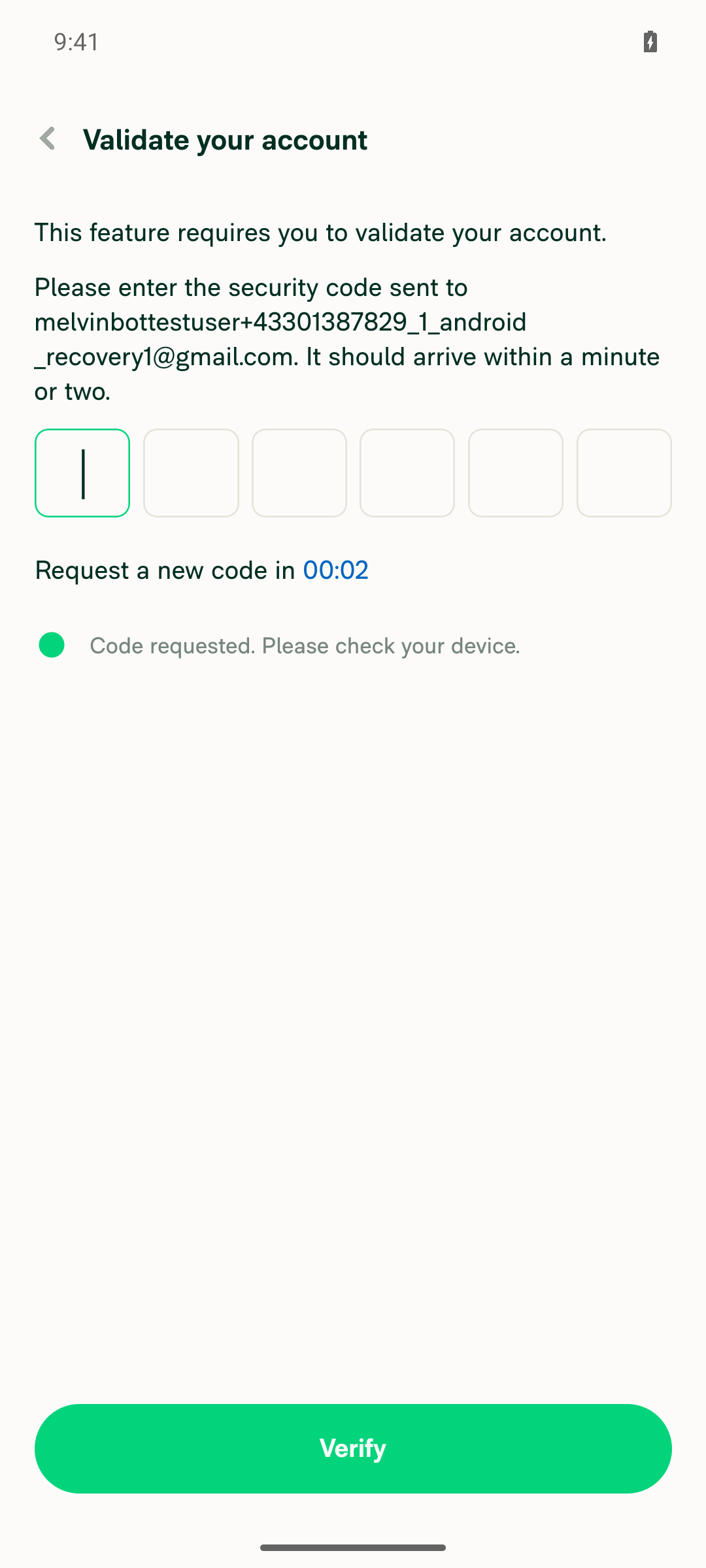
Sign-in recovery and onboarding succeeded on standalone Android NewDot. Wallet → Add bank account then required an emailed six-digit security code, blocking testing; no real bank accounts were configured or cards issued.

Six-digit security-code authentication gate

Step Status
1. Bank-purpose appearance and navigationBlocked before purpose selection by emailed security-code validation.
Account validation blocks entry to bank-purpose selection
❌
2. Physical/Virtual card appearance and flowsNot verified; no card-enabled fixture established before testing stopped.
❌
3. Workspace/category rule templatesRules enabled during onboarding, but template screens were not reached.
❌
4. Locked Category and Merchant defaultsNot verified; required category/tax fixtures unavailable.
❌
5. Selectable-tax Category and themed statesEditor and light/dark interaction states not reached.
❌
6. Existing-bank chooser and selectionNot verified; no eligible test-bank fixture established.
❌
7. Layout, keyboard, accessibility, Sentry and authenticationAuthentication gate observed; remaining checks unverified.
Six-digit security-code authentication gate
❌
8. Load online fixtures, then disconnectRequired screens could not all be loaded; device remained online.
❌
9. Offline bank-setup blockingNot executed because online setup was blocked.
❌
10. Offline rendering and reconnectNot executed; no offline/reconnect cycle performed.
❌
11. No JavaScript console errorsUnverified: console capture was inactive. These failures represent blocked coverage, not demonstrated PR regressions.
❌

view run · view recording

@MelvinBot

MelvinBot commented Nov 12, 2026 •

Copy link
Copy Markdown
Contributor Author

🤖 Web test steps verification results: ❌ fail

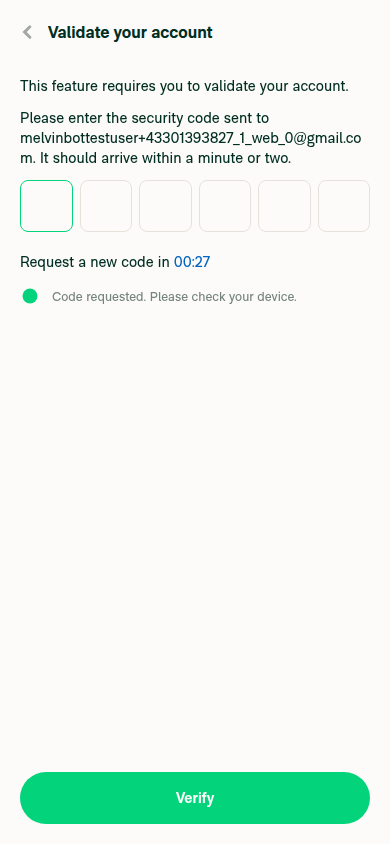
Testing on dev NewDot web was blocked by mandatory email-code verification when opening Wallet → Add bank account. Testing stopped at this authentication blocker; no bank configuration or card issuance occurred, and these results indicate unverified coverage—not demonstrated PR regressions.

Bank-account entry blocked by required email security-code verification

Step Status
1. Bank-purpose rows and setup branches“Validate your account” required an emailed six-digit security code before the purpose chooser. Illustrations and setup branches remain unverified.
Bank-account entry blocked by required email security-code verification
❌
2. Physical/Virtual card chooser and flowsNot executed; no card-enabled test workspace reached before testing stopped.
❌
3. Workspace/category rule templatesNot executed; Control workspace fixture was not inspected.
❌
4. Locked Category and Merchant navigationNot executed; neither required tax-state fixture was reached.
❌
5. Selectable category tax and themed interaction statesEditor navigation, light/dark lock appearance, hover, and pressed states remain unverified.
❌
6. Existing-bank chooser and selectionNot reached. No bank accounts configured or selected.
❌
7. Layouts, keyboard, accessibility, Sentry and authenticationAuthentication gate confirmed. Wide/narrow viewports exercised during navigation only; target-row layouts, keyboard activation, accessible names, and Sentry labels remain unverified.
❌
8. Load online fixtures, then disconnectTarget screens were not loaded; supported testing controls also lacked network disconnection.
❌
9. Offline bank-flow blockingNot executed due to authentication blocker and unavailable offline control.
❌
10. Offline presentation and reconnect retentionNot executed; cached selections, reconnect behavior, and duplicate-action prevention remain unverified.
❌
11. No JavaScript console errorsUnverified; supported testing controls provided no JavaScript-console readout.
❌

view run · no recording available

@roryabraham

roryabraham commented Nov 12, 2026 •

Copy link
Copy Markdown
Contributor

oxfmt failing. Working on preventing that going forward in https://github.com/Expensify/melvin/pull/607 (that is merged and it should be fixed now)

@trjExpensify
trjExpensify removed their request for review November 13, 2026 01:58
@trjExpensify

Copy link
Copy Markdown
Contributor

PR doesn’t need product input as a refactor PR. Unassigning and unsubscribing myself.

@Pujan92

Pujan92 commented Nov 13, 2026

Copy link
Copy Markdown
Contributor

@MelvinBot fix oxfmt failing check

@Pujan92

Pujan92 commented Nov 13, 2026 •

Copy link
Copy Markdown
Contributor

Reviewer Checklist

  • I have verified the author checklist is complete (all boxes are checked off).
  • I verified the correct issue is linked in the ### Fixed Issues section above
  • I verified testing steps are clear and they cover the changes made in this PR
    • I verified the steps for local testing are in the Tests section
    • I verified the steps for Staging and/or Production testing are in the QA steps section
    • I verified the steps cover any possible failure scenarios (i.e. verify an input displays the correct error message if the entered data is not correct)
    • I turned off my network connection and tested it while offline to ensure it matches the expected behavior (i.e. verify the default avatar icon is displayed if app is offline)
  • I checked that screenshots or videos are included for tests on all platforms
  • I included screenshots or videos for tests on all platforms
  • I verified that the composer does not automatically focus or open the keyboard on mobile unless explicitly intended. This includes checking that returning the app from the background does not unexpectedly open the keyboard.
  • I verified tests pass on all platforms & I tested again on:
    • Android: HybridApp
    • Android: mWeb Chrome
    • iOS: HybridApp
    • iOS: mWeb Safari
    • MacOS: Chrome / Safari
  • If there are any errors in the console that are unrelated to this PR, I either fixed them (preferred) or linked to where I reported them in Slack
  • I verified proper code patterns were followed (see Reviewing the code)
    • I verified that any callback methods that were added or modified are named for what the method does and never what callback they handle (i.e. toggleReport and not onIconClick).
    • I verified that comments were added to code that is not self explanatory
    • I verified that any new or modified comments were clear, correct English, and explained "why" the code was doing something instead of only explaining "what" the code was doing.
    • I verified any copy / text that was added to the app is grammatically correct in English. It adheres to proper capitalization guidelines (note: only the first word of header/labels should be capitalized), and is either coming verbatim from figma or has been approved by marketing (in order to get marketing approval, ask the Bug Zero team member to add the Waiting for copy label to the issue)
  • If a new code pattern is added I verified it was agreed to be used by multiple Expensify engineers
  • I verified that this PR follows the guidelines as stated in the Review Guidelines
  • I verified other components that can be impacted by these changes have been tested, and I retested again (i.e. if the PR modifies a shared library or component like Avatar, I verified the components using Avatar have been tested & I retested again)
  • If a new component is created I verified that:
    • A similar component doesn't exist in the codebase
    • All props are defined accurately and each prop has a /** comment above it */
    • The file is named correctly
    • The component has a clear name that is non-ambiguous and the purpose of the component can be inferred from the name alone
    • The only data being stored in the state is data necessary for rendering and nothing else
    • For Class Components, any internal methods passed to components event handlers are bound to this properly so there are no scoping issues (i.e. for onClick={this.submit} the method this.submit should be bound to this in the constructor)
    • Any internal methods bound to this are necessary to be bound (i.e. avoid this.submit = this.submit.bind(this); if this.submit is never passed to a component event handler like onClick)
    • All JSX used for rendering exists in the render method
    • The component has the minimum amount of code necessary for its purpose, and it is broken down into smaller components in order to separate concerns and functions
  • If any new file was added I verified that:
    • The file has a description of what it does and/or why is needed at the top of the file if the code is not self explanatory
  • If a new CSS style is added I verified that:
    • A similar style doesn't already exist
    • The style can't be created with an existing StyleUtils function (i.e. StyleUtils.getBackgroundAndBorderStyle(theme.componentBG)
  • If the PR modifies code that runs when editing or sending messages, I tested and verified there is no unexpected behavior for all supported markdown - URLs, single line code, code blocks, quotes, headings, bold, strikethrough, and italic.
  • If the PR modifies a generic component, I tested and verified that those changes do not break usages of that component in the rest of the App (i.e. if a shared library or component like Avatar is modified, I verified that Avatar is working as expected in all cases)
  • If the PR modifies a component related to any of the existing Storybook stories, I tested and verified all stories for that component are still working as expected.
  • If the PR modifies a component or page that can be accessed by a direct deeplink, I verified that the code functions as expected when the deeplink is used - from a logged in and logged out account.
  • If the PR modifies the UI (e.g. new buttons, new UI components, changing the padding/spacing/sizing, moving components, etc) or modifies the form input styles:
    • I verified that all the inputs inside a form are aligned with each other.
    • I added Design label and/or tagged @Expensify/design so the design team can review the changes.
  • For any bug fix or new feature in this PR, I verified that sufficient unit tests are included to prevent regressions in this flow.
  • If the main branch was merged into this PR after a review, I tested again and verified the outcome was still expected according to the Test steps.
  • I have checked off every checkbox in the PR reviewer checklist, including those that don't apply to this PR.

Screenshots/Videos

Android: HybridApp
Android: mWeb Chrome
iOS: HybridApp
iOS: mWeb Safari
MacOS: Chrome / Safari Screenshot 2026-11-13 at 08 50 53 Screenshot 2026-11-13 at 08 45 21 Screenshot 2026-11-13 at 08 30 44 Screenshot 2026-11-13 at 08 55 04

Co-authored-by: Pujan Shah <Pujan92@users.noreply.github.com>
@MelvinBot

Copy link
Copy Markdown
Contributor Author

Pushed formatting-only fixes for all four flagged files in de93b46.

✅ Oxfmt, typecheck, changed-file lint, spelling, and 22 related tests passed.

Full lint/Jest, Storybook, and compiler checks timed out; limitations are documented in AI Tests. CI results remain pending.


view run

@MelvinBot

Copy link
Copy Markdown
Contributor Author

⚠️ Something went wrong. This may be a transient issue. Try again. If it persists, check status.openai.com.

Run details

@Pujan92 Pujan92 left a comment

Copy link
Copy Markdown
Contributor

Choose a reason for hiding this comment

The reason will be displayed to describe this comment to others. Learn more.

LGTM!

@roryabraham
roryabraham merged commit cbb862c into main Nov 13, 2026
46 of 48 checks passed
@roryabraham
roryabraham deleted the claude-composableIllustrationRows branch November 13, 2026 05:31
@github-actions

Copy link
Copy Markdown
Contributor

🚧 roryabraham has triggered a test Expensify/App build. You can view the workflow run here.

@OSBotify

Copy link
Copy Markdown
Contributor

✋ This PR was not deployed to staging yet because QA is ongoing. It will be automatically deployed to staging after the next production release.

@github-actions

Copy link
Copy Markdown
Contributor

Sign up for free to join this conversation on GitHub. Already have an account? Sign in to comment

Labels

Melvin-Test-Android Melvin-Test-Web Triggers Melvin to run the testing steps of the PR on web

Projects

None yet

Development

Successfully merging this pull request may close these issues.

5 participants