Skip to content

Keep the rule description visible when editing resumes - #106803

Draft
MelvinBot wants to merge 1 commit into
mainfrom
claude-ruleDescriptionVisibility-situchan
Draft

MelvinBot wants to merge 1 commit into
mainfrom
claude-ruleDescriptionVisibility-situchan

Conversation

@MelvinBot

Copy link
Copy Markdown
Contributor

Explanation of Change

Restore the description input's visibility when typing resumes without another focus event. The scrolling form tracks the input box and scroll viewport, coalesces edits into one animation frame, and scrolls only when the bounded input is obscured. The multiline input retains responsibility for scrolling its own text to the caret.

Keep initial-focus scrolling, refusal scrolling, and form/draft handling unchanged. Cancel pending recovery on blur, submission, deactivation, and unmount; exclude the non-scrolling Describe modal. Add an opt-in immediate, non-animated form scroll so editing cannot queue delayed keyboard-animation scrolls; existing callers keep their previous behavior.

Manual/native QA is left to situchan, as requested. Native keyboard overlap and multiline caret visibility have not been verified by Melvin; a viewport smaller than the input still needs manual coverage.

AI Tests

  • Passed: 27 targeted regression tests, including retained-focus edits above/below the viewport, coalescing, visible-input no-op, refusal recovery, blur/unmount cleanup, and inactive/non-scrolling forms.
  • Passed: full lint, changed-file lint, typecheck, spelling, commit-hook formatting, and Storybook smoke test.
  • Passed: explicit React Compiler checks for the form wrapper and description form. The provider has the same four compiler diagnostics on the unchanged baseline (FormProvider.tsx:171–172, FormProvider.tsx:434); verified by checking the baseline source separately. The changed-file compiler command could not resolve its empty base reference, so explicit-file checks were used.
  • Full Jest suite was attempted with two workers but exceeded the five-minute command limit; no failures were reported before termination. This is not a full-suite pass.
  • The prescribed Prettier command has no script in the current checkout; formatting passed through the repository's commit hook instead.

Contributor branch

No accessible contributor fork was found, so this draft uses an upstream branch. To copy it to your own fork:

git remote add upstream https://github.com/Expensify/App.git
git fetch upstream claude-ruleDescriptionVisibility-situchan
git checkout -b claude-ruleDescriptionVisibility-situchan upstream/claude-ruleDescriptionVisibility-situchan
git push -u origin claude-ruleDescriptionVisibility-situchan

Fixed Issues

$ #106059
PROPOSAL: #106059 (comment)

Tests

// TODO: The human co-author must fill out the tests you ran before marking this PR as "ready for review".

  • Verify that no errors appear in the JS console

Offline tests

QA Steps

// TODO: The human co-author must fill out the QA tests you ran before marking this PR as "ready for review".

// TODO: These must be filled out, or the issue title must include "[No QA]."

  • Verify that no errors appear in the JS console

PR Author Checklist

  • I linked the correct issue in the ### Fixed Issues section above
  • I wrote clear testing steps that cover the changes made in this PR
    • I added steps for local testing in the Tests section
    • I added steps for the expected offline behavior in the Offline steps section
    • I added steps for Staging and/or Production testing in the QA steps section
    • I added steps to cover failure scenarios (i.e. verify an input displays the correct error message if the entered data is not correct)
    • I turned off my network connection and tested it while offline to ensure it matches the expected behavior (i.e. verify the default avatar icon is displayed if app is offline)
    • I tested this PR with a High Traffic account against the staging or production API to ensure there are no regressions (e.g. long loading states that impact usability).
  • I included screenshots or videos for tests on all platforms
  • I ran the tests on all platforms & verified they passed on:
    • Android: Native
    • Android: mWeb Chrome
    • iOS: Native
    • iOS: mWeb Safari
    • MacOS: Chrome / Safari
  • I verified there are no console errors (if there's a console error not related to the PR, report it or open an issue for it to be fixed)
  • I verified any copy / text that was added to the app is either coming verbatim from figma or has been approved by marketing (in order to get marketing approval, ask the Bug Zero team member to add the Waiting for copy label to the issue)
  • If a new code pattern is added I verified it was agreed to be used by multiple Expensify engineers
  • I tested other components that can be impacted by my changes (i.e. if the PR modifies a shared library or component like Avatar, I verified the components using Avatar are working as expected)
  • If new assets were added or existing ones were modified, I verified that:
    • The assets are optimized and compressed (for SVG files, run npm run compress-svg)
    • The assets load correctly across all supported platforms.
  • If the PR modifies code that runs when editing or sending messages, I tested and verified there is no unexpected behavior for all supported markdown - URLs, single line code, code blocks, quotes, headings, bold, strikethrough, and italic.
  • If the PR modifies a generic component, I tested and verified that those changes do not break usages of that component in the rest of the App (i.e. if a shared library or component like Avatar is modified, I verified that Avatar is working as expected in all cases)
  • If the PR modifies a component related to any of the existing Storybook stories, I tested and verified all stories for that component are still working as expected.
  • If the PR modifies a component or page that can be accessed by a direct deeplink, I verified that the code functions as expected when the deeplink is used - from a logged in and logged out account.
  • If the PR modifies the UI (e.g. new buttons, new UI components, changing the padding/spacing/sizing, moving components, etc) or modifies the form input styles:
    • I verified that all the inputs inside a form are aligned with each other.
    • I added Design label and/or tagged @Expensify/design so the design team can review the changes.
  • If the PR adds or modifies the UI:
    • I asked an AI agent to review the changes for accessibility issues and addressed its findings.
    • I tested with a screen reader (VoiceOver on macOS) and verified all new/changed elements are reachable with a logical focus order.
    • I verified all new/changed elements have meaningful accessible names and roles.
    • I verified state changes are announced (e.g. checked/unchecked, expanded/collapsed, selected).
  • I added unit tests for any new feature or bug fix in this PR to help automatically prevent regressions in this user flow.
  • If the main branch was merged into this PR after a review, I tested again and verified the outcome was still expected according to the Test steps.

Screenshots/Videos

Android: Native
Android: mWeb Chrome
iOS: Native
iOS: mWeb Safari
MacOS: Chrome / Safari

Co-authored-by: Situ Chandra Shil <situchan@users.noreply.github.com>
@melvin-bot

melvin-bot Bot commented Nov 13, 2026

Copy link
Copy Markdown

Hey! I see that you made changes to our Form component. Make sure to update the docs in FORMS.md accordingly. Cheers!

@MelvinBot
MelvinBot requested a review from a team November 13, 2026 06:09
@melvin-bot melvin-bot Bot added Melvin-Test-Android Melvin-Test-Web Triggers Melvin to run the testing steps of the PR on web labels Nov 13, 2026
@codecov

codecov Bot commented Nov 13, 2026 •

Copy link
Copy Markdown

Codecov Report

❌ Looks like you've decreased code coverage for some files. Please write tests to increase, or at least maintain, the existing level of code coverage. See our documentation here for how to interpret this table.

Files with missing lines Coverage Δ
src/CONST/SENTRY_LABEL.ts 100.00% <ø> (ø)
src/pages/workspace/rules/DescribeRuleForm.tsx 95.60% <100.00%> (+1.08%) ⬆️
src/components/Form/FormProvider.tsx 72.38% <50.00%> (ø)
src/components/Form/FormWrapper.tsx 85.96% <40.00%> (-2.33%) ⬇️
... and 7 files with indirect coverage changes

@MelvinBot

MelvinBot commented Nov 13, 2026 •

Copy link
Copy Markdown
Contributor Author

🤖 Android test steps verification results: ⚠️ partial

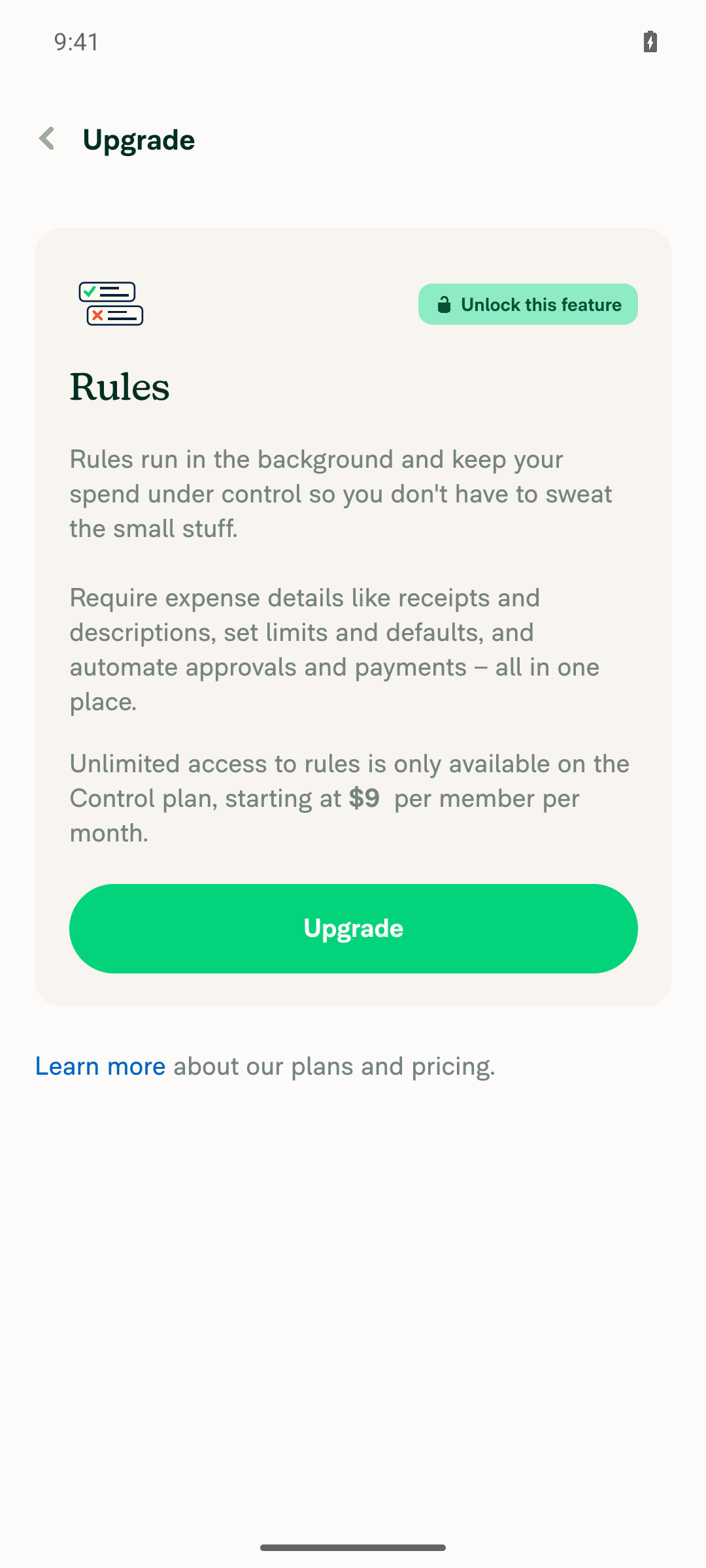
Verified on standalone Android NewDot: app and Workspace Rules opened, but Add rule hit a Control-plan upgrade gate. Keyboard regression checks were blocked, and the running PR revision could not be confirmed.

Rules blocked by Control-plan upgrade requirement

Step Status
Open the appSigned-in native Android Home displayed.
✅
Open Workspace > RulesCreated a workspace, enabled Rules, and opened the Rules page.
✅
Tap Add ruleTap succeeded, but opened a Control-plan upgrade gate instead of the form.
Rules blocked by Control-plan upgrade requirement
✅
Focus description and expand keyboardBlocked by the plan gate; not a confirmed product failure.
❌
Enter specified description and tap NextNot tested: form inaccessible.
❌
Scroll description off-screen while retaining focus and keyboardNot tested: form inaccessible.
❌
Resume typing without refocusing; verify caret visibilityNot tested: form inaccessible.
❌
Long multiline editing, rapid typing, and refusal recoveryNot tested: requires a Rules-enabled Control-plan test workspace.
❌
Verify no JS errorsUnverified: no visible error overlay, but app logging was inactive and the target flow was blocked.
❌

view run · view recording

@MelvinBot

MelvinBot commented Nov 13, 2026 •

Copy link
Copy Markdown
Contributor Author

🤖 Web test steps verification results: ⚠️ partial

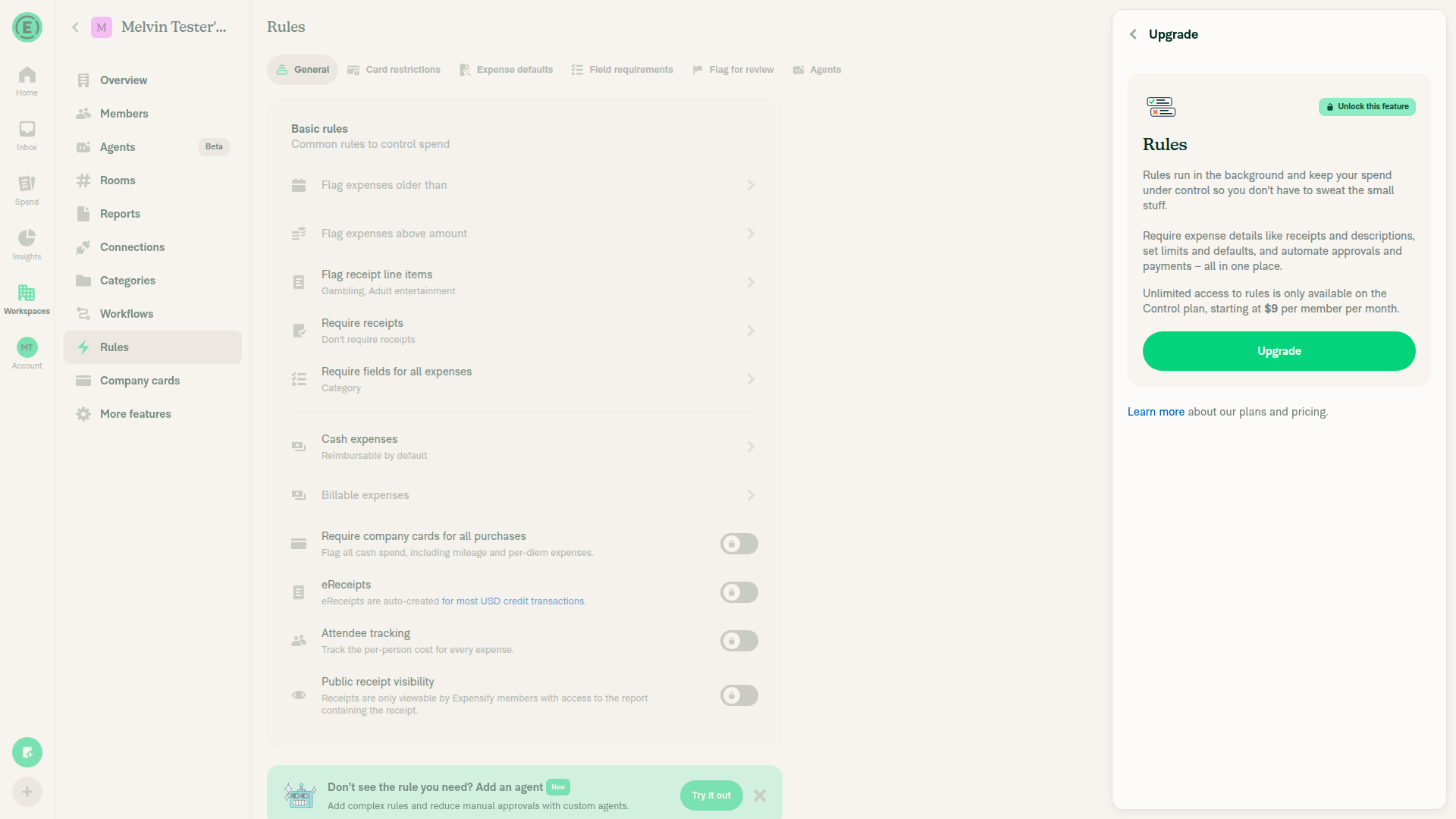
Enabled Rules through More features and opened Rules successfully. Add rule displayed a paid Control-plan upgrade dialog; no upgrade was accepted, so form and typing checks remain blocked rather than product failures.

Add rule blocked by the paid Control-plan upgrade dialog

Step Status
Open the appDev NewDot web opened with the account signed in.
✅
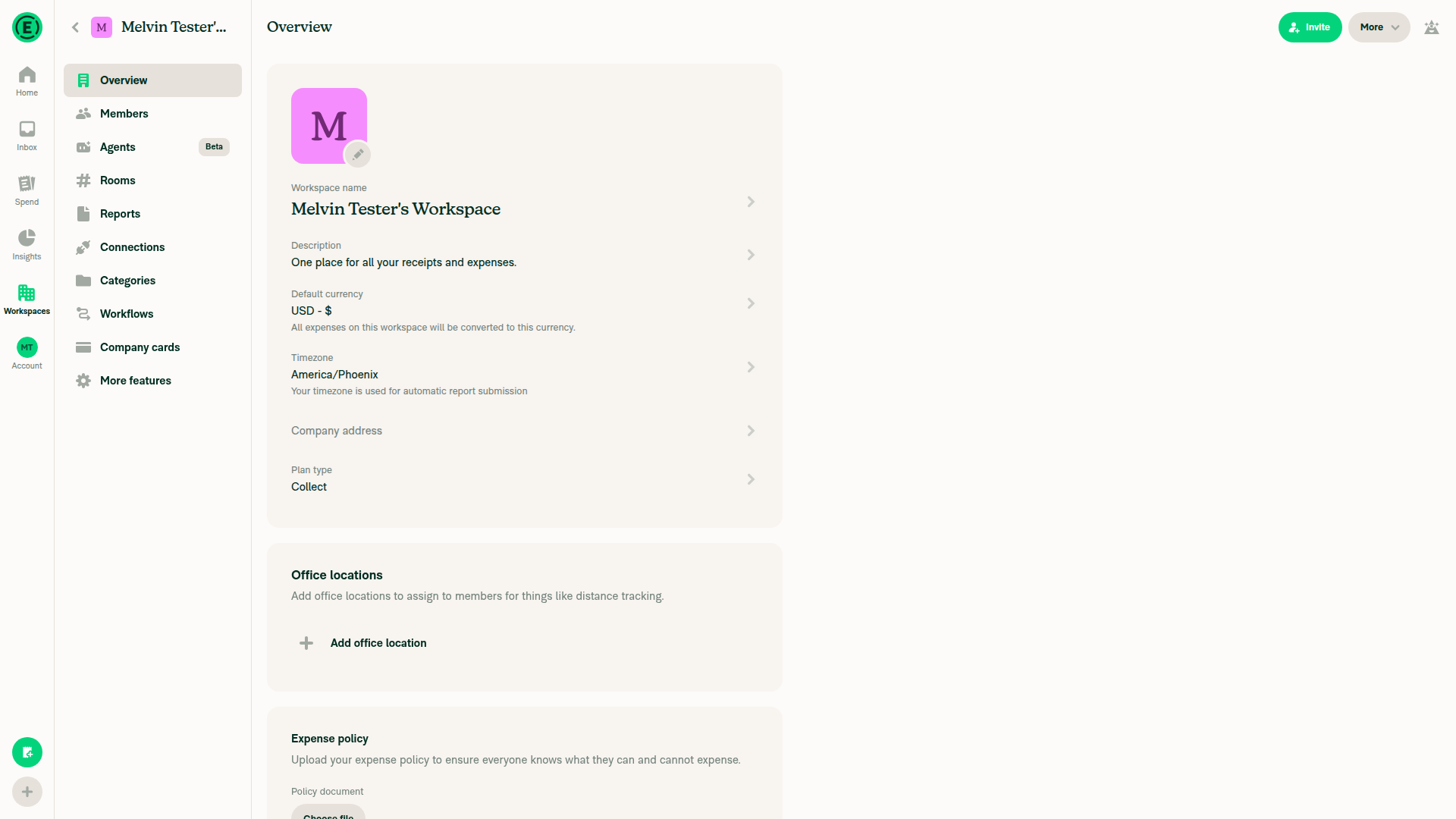
Open Workspace and select RulesCreated a workspace, enabled Rules through More features, and opened Rules. Screenshot shows the workspace before enabling Rules.
Workspace Overview before enabling Rules
✅
Click Add rule and reach its formBlocked by the paid Control-plan upgrade dialog. No upgrade accepted.
Add rule blocked by the paid Control-plan upgrade dialog
⚠️
Focus “Or just describe it below”Form inaccessible. Desktop web also cannot establish native software-keyboard behavior.
⚠️
Enter specified description and click NextNot tested: blocked by the upgrade gate.
⚠️
Scroll description off-screen while retaining focusNot tested: form inaccessible.
⚠️
Type without refocusing and verify caret visibilityNot tested: form inaccessible. Running PR revision could not be confirmed because revision metadata access was denied.
⚠️
Multiline editing, rapid typing, and refusal recoveryNot tested: requires an eligible Rules-enabled test workspace.
⚠️
Verify no JS console errorsUnverified: console inspection was unavailable through the permitted testing tools.
⚠️

view run · view recording

This branch has not been deployed

No deployments
Sign up for free to join this conversation on GitHub. Already have an account? Sign in to comment

Labels

Melvin-Test-Android Melvin-Test-Web Triggers Melvin to run the testing steps of the PR on web

Projects

None yet

Development

Successfully merging this pull request may close these issues.

2 participants