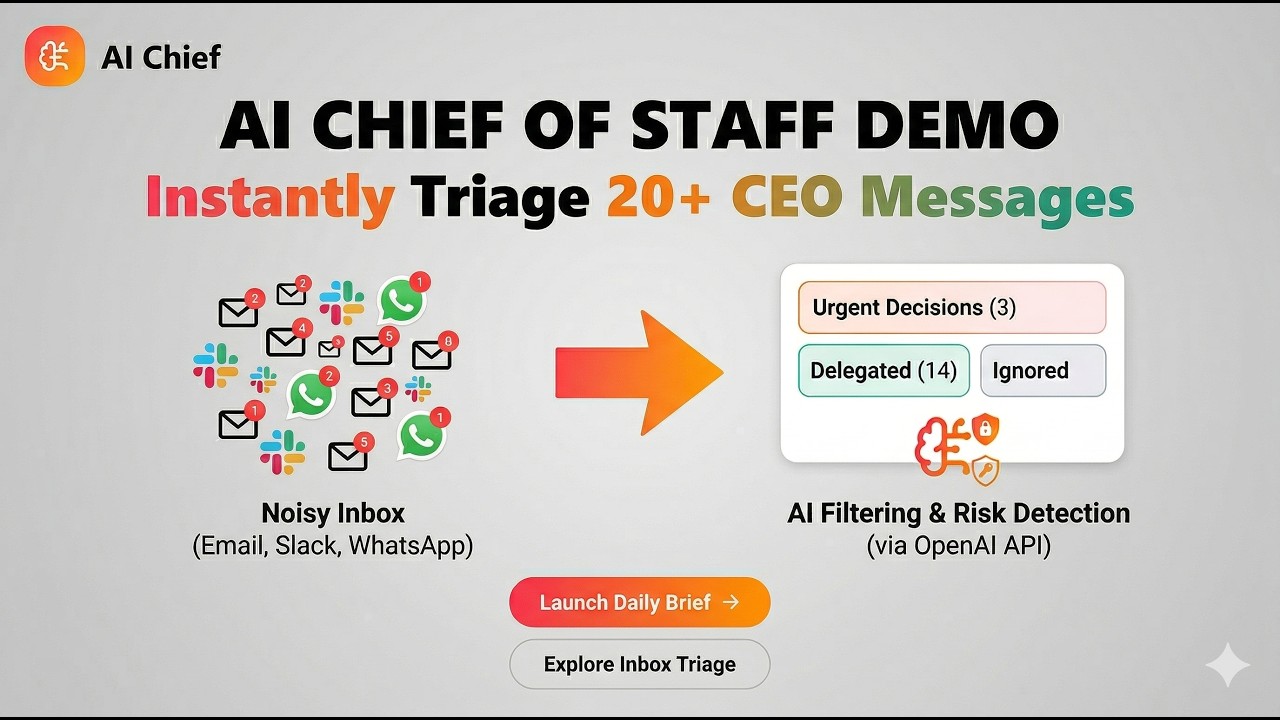
AI Chief is a prototype AI Chief of Staff system that turns a CEO’s noisy morning inbox into a crisp daily briefing — with triage (Ignore / Delegate / Decide), flags, and channel-aware drafted responses.
-
Live demo:
https://aichief.ayushk.blog -
Sample dataset:
Messages JSON.json
Note: This is a prototype of the intelligent AI layer. It does not connect to real Slack/Email/WhatsApp APIs. It only works when you upload/provide JSON inputs representing messages from those sources.
- Introduction
- Features
- Tech stack
- Directory Structure
- Architecture
- Key decisions and why
- Improvements (with more time)
- How to run
- Contributing
A CEO receives 20+ communications each morning across email, Slack, and WhatsApp. AI Chief ingests those messages (as JSON), reasons across time and channels, filters noise, detects contradictions/traps, and surfaces only what requires action.
-
No database: This is a prototype project, so we kept it stateless and in-memory (no persistence).
-
No channel API integrations: There is no Slack / WhatsApp / email API integration. Messages are provided as JSON input.
-
JSON-in, Intelligence-Out: This prototype focuses on the intelligent AI layer that can be tested with any message JSON dataset following the expected schema.
| Feature | What it does |
|---|---|
| Daily Briefing | 2–3 sentence executive summary + at-a-glance metrics. |
| Triage | Classifies each message as Ignore / Delegate / Decide with rationale. |
| Delegation Hand-off | For Delegate items: assigns to a specific person and drafts a handoff message. |
| Decisions Required | For Decide items: shows “Decisions Required” cards with a drafted response and edit flow. |
| Flags | Security risks, contradictions/updates, conflicts, deal/timeline risks. |
| Channel-aware Tone | Drafted responses match the channel (Email formal, Slack concise, WhatsApp conversational). |
| Cross-message Reasoning | Handles dependencies across time; later messages can update/resolve earlier ones. |
| Layer | Technology |
|---|---|
| Backend | Python, FastAPI |
| Frontend | Next.js (App Router), TypeScript, Tailwind CSS, shadcn/ui |
| LLM | OpenAI (model configured via OPENAI_MODEL in .env) |
| Deployment | Vercel (frontend) + Railway (backend) |
.
├─ architecture/
├─ backend/
│  ├─ main.py
│  ├─ requirements.txt
│  └─ services/
│     ├─ analyzer.py
│     ├─ preprocessor.py
│     └─ postprocess.py
├─ frontend/
│  ├─ package.json
│  ├─ components.json
│  └─ src/
│     ├─ app/
│     │  ├─ page.tsx
│     │  └─ triage/
│     │     └─ page.tsx
│     ├─ components/
│     ├─ context/
│     └─ lib/
├─ Messages JSON.json
├─ Devloper Brief.pdf
├─ README.md

- Upload JSON (web UI) or submit JSON directly to backend.
- Preprocess: sort messages by timestamp ASC and normalize fields (e.g., map
from→sender). - LLM analysis (single holistic call):
- triage classification (Ignore/Delegate/Decide)
- flags (security/traps/conflicts/contradictions/risks)
- deadlines extraction
- channel-aware drafted responses
- Post-process: merge the model output with the source message list so the API is always internally consistent.
- UI rendering:
- Daily Brief (Morning Pulse, Flags, Deadlines, Decisions Required)
- Inbox Triage (filters + message cards + handoff section)
| Decision | Why this was chosen |
|---|---|
| Single-pass LLM analysis over the full message set | Cross-message reasoning (updates, contradictions, dependency chains) is stronger when the model sees the whole morning context in one call. |
| Timestamp sorting before analysis | Later messages can supersede earlier ones; chronological ordering prevents stale decisions from dominating. |
| Structured JSON output contract from LLM | A strict schema (briefing, triage, flags, deadlines, decisions) makes the UI deterministic and reduces parsing/format drift. |
| Prompt-enforced channel tone (email/slack/whatsapp) | The assessment explicitly checks channel-appropriate responses; this avoids formal-email tone leaking into WhatsApp and Slack replies. |
Fail-fast model/API-key config via .env |
OPENAI_MODEL and OPENAI_API_KEY are required when the analyzer loads. The model name is not hardcoded: it must be set in backend/.env (e.g. OPENAI_MODEL=gpt-4o). |
| Server-side output normalization after the LLM | Guarantees triage.length aligns with the uploaded message list and keeps briefing.stats consistent with that list, even if the model skips or duplicates a row. |
| Stateless prototype (no database) | Scope is intelligence + orchestration for a prototype; in-memory flow keeps implementation fast and focused. |
| No direct channel API integrations | Intentional boundary: this prototype validates the AI reasoning layer independent of Slack/Email/WhatsApp API complexity. |
Dual ingestion endpoints (/api/analyze + /api/analyze-json) |
Supports both UI-based file uploads and direct API testing/automation by reviewers. |
| Shared frontend analysis context | A single source of truth across Daily Brief and Inbox Triage avoids duplicate fetches and keeps both views synchronized. |
| Frontend-first reviewer UX | Immediate upload, loading state, and grouped outputs (flags/deadlines/decisions) optimize for a <2-minute CEO-read experience. |
-
Streaming UI: stream partial LLM results (SSE/WebSockets) to reduce perceived latency.
-
Persisted History: add a database for saved briefings, “yesterday vs today” comparisons, and auditability.
-
Cheaper Routing: run quick spam/phishing heuristics first; reserve best model for complex reasoning.
-
Confidence Scoring: provide confidence + “why” evidence snippets for each triage decision.
-
Real Integrations: connect Slack/email/WhatsApp ingestion and one-click sending of approved drafts.
-
Robust Evaluation: add test harnesses with multiple JSON datasets and snapshot expected outputs.
-
App is deployed at
https://aichief.ayushk.blog -
Sample dataset:
Messages JSON.json
- Python 3.10+
- Node.js 18+
- An OpenAI API key
cd backend
pip install -r requirements.txt
Create backend/.env:
OPENAI_API_KEY=your_openai_key_here
OPENAI_MODEL=gpt-4o
Run the backend:
python -m uvicorn main:app --reload --port 8000Backend health check: http://localhost:8000/health
cd frontend
npm install
Create frontend/.env.local:
NEXT_PUBLIC_API_URL=http://localhost:8000Run the frontend:
npm run devOpen: http://localhost:3000
- Go to
http://localhost:3000 - Upload any JSON file matching the schema (array of messages with
id,channel,timestamp,body, etc.) - The reviewer can test with any set of JSON inputs — the system is not hardcoded to the provided dataset.
The backend expects a JSON array like:
[
  {
    "id": 1,
    "channel": "email",
    "from": "Jane Doe <jane@example.com>",
    "to": "ceo@company.com",
    "subject": "Subject line",
    "timestamp": "2026-03-18T08:12:00Z",
    "body": "Message content..."
  }
]
Supported fields: id, channel (email|slack|whatsapp), from, to, subject, channel_name, timestamp, body.
Use a unique integer id per message so post-processing can align triage rows 1:1 with your upload. Rows without a coercible id are skipped when building the normalized triage list.
Contributions are welcome! Whether it's a bug fix, feature request, or documentation improvement — feel free to open an issue or submit a pull request.
- Fork this repository.
- Create a branch:
git checkout -b feature/my-awesome-feature - Commit your changes:
git commit -m "feat: add my awesome feature" - Push:
git push origin feature/my-awesome-feature - Open a Pull Request and describe your changes.
Please keep your PRs focused and follow the existing code style.