Repository navigation
[Feature]: Make the Direct mode badge guide users to the Pool/Direct setting #8501
Description

Area
Dashboard / Authentication and account pool
What are you trying to accomplish?
Understand how to enable Pool mode while viewing Multi-auth → Codex Auth.
Thanks for providing the account-mode summary here. It explains which accounts are being used, but the next step for changing the mode is still difficult to discover.
What prevents this today?
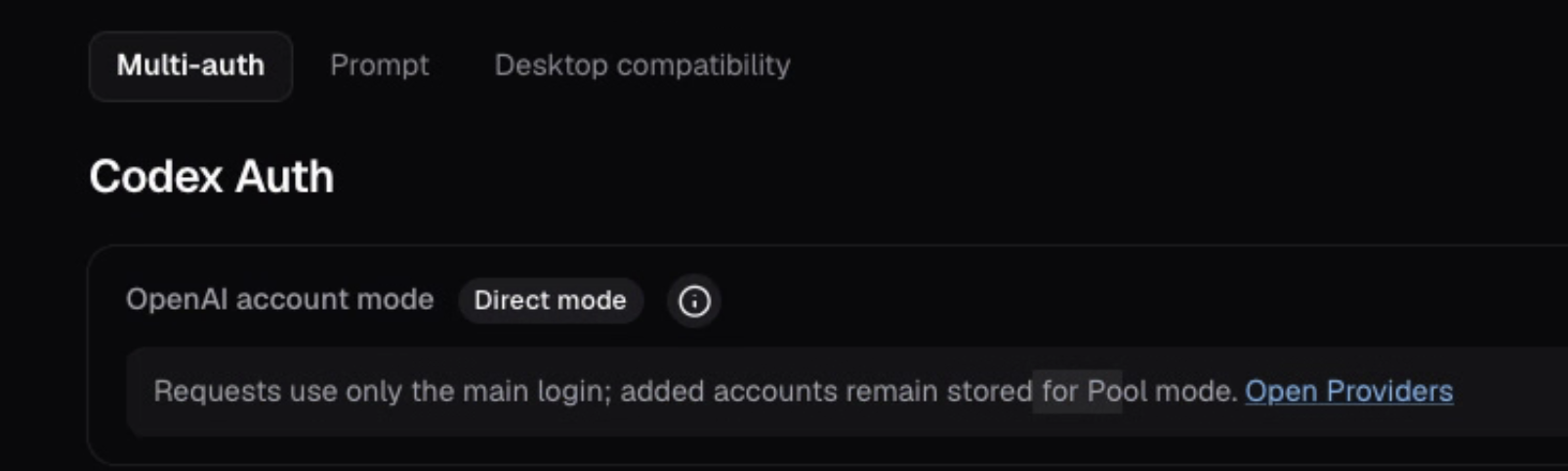
The page shows OpenAI account mode · Direct mode, followed by:
Requests use only the main login; added accounts remain stored for Pool mode.
There is an Open Providers link, but it does not explain where in Providers to change the mode. Clicking the Direct mode badge does not guide the user to that setting. From this view, it is unclear how to enable Pool mode.
Observed with OpenCodex 2.99.0, on macOS.
What should OpenCodex do?
Please make the Direct mode badge clickable so it guides the user to the existing mode control. For example, clicking it could show:
“Change account mode in Providers → OpenAI → Codex account mode. Select Pool to use the main login and eligible added accounts.”
Include a clearly labeled Change account mode link that opens the relevant OpenAI provider settings, ideally focused on the mode control. Keyboard users should be able to activate the same guidance.
The click should provide guidance/navigation; changing the routing mode should remain an explicit choice in the existing control.
Example usage or interface
- Open Multi-auth → Codex Auth while Direct mode is active.
- Click or keyboard-activate Direct mode.
- See concise instructions and follow Change account mode to the relevant provider setting.
- Select Pool there, then return to see Pool mode reflected in Codex Auth.
Alternatives or workarounds
Navigate manually through Open Providers → OpenAI → Codex account mode → Pool, or use ocx provider account-mode pool.
Additional context
Related historical issue: #586 concerned a missing mode selector on the Providers page. This request concerns discovering that existing setting from the mode badge in the Multi-auth view.
Checks
- I searched existing issues and documentation.
- This request describes a concrete OpenCodex workflow rather than merely naming a desired technology.
- I removed secrets and personal data.
Activity
coderabbitai commentedon Nov 10, 2026
🔗 Related PRs
#8105 - feat(gui): design system v2 — redesigned dashboard, navigation and desktop app [merged]
📝 Issue Planner
Check the box below or use the
@coderabbitai plancommand to generate an implementation plan and prompts that you can use with your favorite coding assistant.🧪 Issue enrichment is currently in open beta.
To disable automatic issue enrichment, add the following to your
.coderabbit.yaml:💬 Have feedback or questions? Drop into our discord!
pr-assets: dashboard management health + account-mode badge (#8506 #8501
fix(dashboard): read management health and link the account-mode badge (