


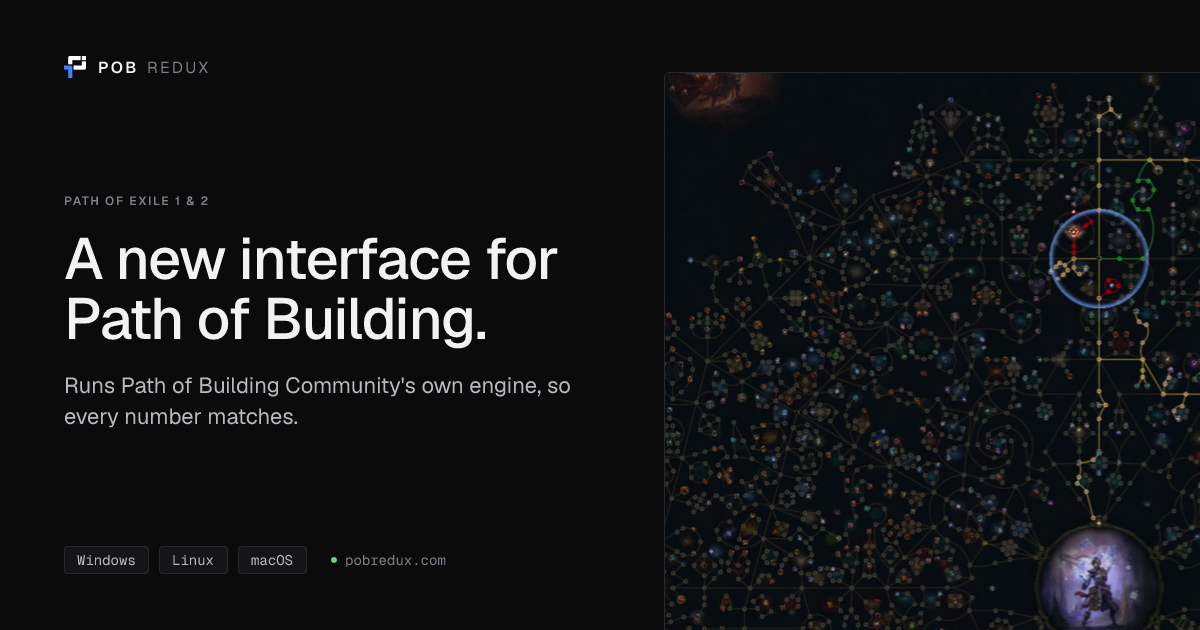
A desktop app for planning Path of Exile 1 and 2 builds. It runs Path of Building Community's own calculation code, so every number matches Path of Building, and it opens the same build files.

pobredux.com picks the right file for your system. Every file is also on the Releases page.
| System | File | Install |
|---|---|---|
| Windows 10 or 11 | PoB.Redux_<version>_x64-setup.exe |
Run it. It installs for your user only and fetches WebView2 if Windows lacks it. |
| macOS, Apple Silicon | PoB.Redux_<version>_aarch64.dmg |
Drag the app to Applications. See macOS says the app cannot be opened. |
| Arch Linux | pob-redux-bin on the AUR |
yay -S pob-redux-bin or paru -S pob-redux-bin |
| Fedora, openSUSE | PoB.Redux-<version>-1.x86_64.rpm |
Install with your package manager. |
| Debian, Ubuntu | PoB.Redux_<version>_amd64.deb |
Install with your package manager. |
| Any other Linux | PoB.Redux_<version>_amd64.AppImage |
chmod +x the file, then run it. |
| Linux on ARM64 | PoB.Redux-<version>-1.aarch64.rpm, PoB.Redux_<version>_arm64.deb or PoB.Redux_<version>_aarch64.AppImage |
Same as the x86_64 files above. |
| Chromebook | PoB.Redux_<version>_amd64.deb, or _arm64.deb on an ARM Chromebook |
Turn on Linux in ChromeOS Settings, then open the file in the Files app and choose Install with Linux. |
There is no build for Intel Macs.
- On first start, pick Path of Exile 1 or 2. The toggle in the title bar switches games later.
- Open the Builds tab. Your saved builds are listed there, and New build starts an empty one.
- To bring in someone else's build, paste it into the Import box and press Import.
Import takes:
- a Path of Building share code or build XML
- a link from pobb.in, Maxroll, Mobalytics, poe.ninja, poe2db, poedb, Pastebin or Rentry
- a Maxroll build guide link, when the guide's author attached a PoB code
Open file… opens a saved .xml build, or on Path of Exile 2 a GGG Build Planner file (.build).
A build from the other game switches the app to that game first.
Builds are saved in the same folders Path of Building uses, so either app can open them:
- Path of Exile 2:
Documents/Path of Building (PoE2)/Builds - Path of Exile 1:
Documents/Path of Building/Builds
When a new version is out, a banner appears at the top of the window.
- Windows, macOS and the AppImage: press Update, then Restart if the app asks.
- AUR: update
pob-redux-binwith your AUR helper, for exampleyay -Syu. - .deb and .rpm: press Download and install the new package.
To check by hand, open Settings (the gear in the title bar, or Ctrl+,) and press Check for updates.
Tree, skills, items, calcs, config, notes, party and builds are all here, with PoB's tooltips and breakdowns. Calcs sorts PoB's sections into offence, defence and other, with DPS, EHP and the largest hit you can take at the top. Your buffs and the curses on the enemy show as game icons.
Ctrl+K (Cmd+K on macOS) opens a search for commands, tabs, saved builds and everything in the open build: notables and keystones, items, skills, config options and calcs rows. Pick one to go straight to it.
Reviews the build and lists what is wrong, worst first, with a fix for each. It can design a rare for any slot from the real mod pool, and it ranks passive nodes by what each one adds per point. Every figure comes from PoB's own calculation, and it needs no account or key. The search is best effort and still being improved, so check each suggestion against your build before you keep it.
Loads a second build next to yours and shows the differences in stats, tree, items, skills and config.
An optional chat panel that answers questions about the open build and can change it. It works in both games; Path of Exile 1 support is new and marked beta. Open it from the chat icon in the status bar or with Ctrl+L. It runs through a coding agent on your computer, signed in to your own plan: Claude Code, Codex, GitHub Copilot, Cursor, Grok, Kimi Code, OpenCode, Gemini CLI or Google Antigravity (which the app downloads for you). It can also use a model you run with Ollama.
Sign in once with the agent's own command (for example claude auth login or codex login; for Gemini CLI, run
gemini once and pick a sign-in); Antigravity signs in with Google from Settings > Assistant. The app never sees
your login: it starts the agent, which uses its own. Your plan's usage limits apply. The agent works in an empty folder, its shell and file-editing tools are turned off or
refused, and it is told to use only the build's tools.
Ask a question and it answers; ask for a change and it makes it. Each reply that changed the build ends with Keep and Undo, so one click puts everything back. Turn on "Ask before each change" in Settings > Assistant to approve every change first.
Lets an AI client such as Claude Code, Claude Desktop or Cursor read and edit the open build, in
either game (Path of Exile 1 is in beta). It is off until you turn it on in Settings, which then shows
the address, an access token and ready-made client settings. It listens on 127.0.0.1 only, stops
when the app closes, and refuses any request without the token.
The app is not signed with an Apple Developer ID or notarized yet, so macOS blocks the first launch. On macOS 15 or later, open System Settings → Privacy & Security and click Open Anyway. On macOS 14 and earlier, right-click the app and choose Open. MACOS.md has more detail.
The AppImage, and any install on NVIDIA's own driver, start with WebKit's DMA-BUF renderer turned off,
because it showed a black window there. Other installs draw with the GPU. If your window is black,
start the app with WEBKIT_DISABLE_DMABUF_RENDERER=1, and without POB_REDUX_GPU=1. If the window is
still black, open an issue with your distribution and graphics card.
POB_REDUX_GPU=1 turns the GPU renderer back on where the app turned it off. Tree zooming is sharper
with it, but it can show a black window.
Keys need a Secret Service on the session bus, such as gnome-keyring or KWallet. Install and unlock one, then add the key again.
When Credential Manager refuses a key, the app stores it in a file encrypted for your Windows account instead. If saving still fails, remove entries you no longer need under Credential Manager → Windows Credentials → Generic Credentials and try again.
Both apps run the same calculation code, so a difference is a bug. Open an issue and include the build's share code along with the stat you checked and the value each app shows.
Issues and pull requests are welcome. You need Rust stable, Bun, and checkouts of PathOfBuilding-PoE2 and PathOfBuilding next to this repo.
bun install
bun run sync          # copy both games' PoB Lua and data into src-tauri/resources. Run this first.
bun run tauri dev     # run the app with hot reload
CONTRIBUTING.md has the rest: prerequisites, project layout, updating the bundled
PoB data, the pobctl command line and the environment variables. Keep the calculations in PoB's
Lua; do not reimplement them in Rust or TypeScript.
Every number PoB Redux shows comes from Path of Building Community. This app runs and bundles the Lua code and game data of their Path of Exile 1 and Path of Exile 2 projects.
Built with LuaJIT through mlua, Tauri, Svelte, Rust, rmcp for the MCP server, and the AI SDK for the assistant.
This product isn't affiliated with or endorsed by Grinding Gear Games in any way.
MIT. See LICENSE. Path of Building Community is MIT as well, and its licence file is bundled with the app.