Water meter device for Home Assistant
| Any reliance you place on this guide is strictly at your own risk. |
- Flash your Wemos D1 Mini Pro or ESP8266 with Tasmota. For more instruction follow this link
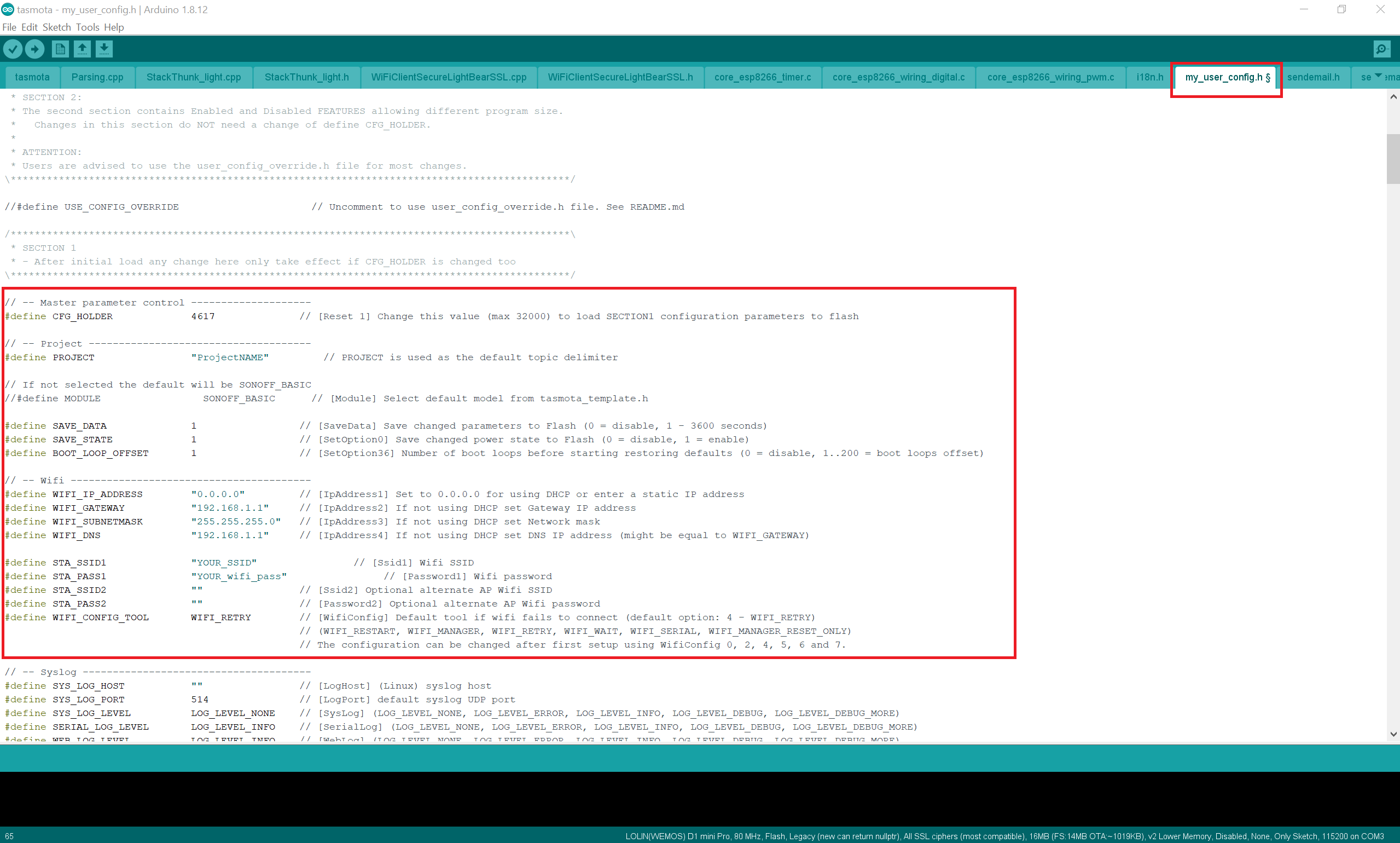
- Open the already downloaded files and navigate to ..\Tasmota-X.XX.XX\tasmota open the project in Arduino IDE and then Edit the my_user_config.h with your Wifi value, you can also add your MQTT server info otherwise you can add them later and finally Upload it to your Wemos D1 Mini Pro / ESP8266
- Go to your browser and enter the Wemos D1 Mini Pro / ESP8266.
- Then go to
Configuration-->Configure MQTTand add your MQTT server info. - Go to
Configure Module--> Module TypeGeneric (18)--> D2 GPIO4COUNTER1. configure_module - (optional) Configure your device name and friendly name navigating to
Configuration-->Configure Other

Plug the water sensor to Wemos D1 mini pro: Wemos pin out
| Wemos d1 mini pro | Water sensor flow |
|---|---|
| Pin: 5v | Red wire (+5v) |
| Pin: GND | Black wire (ground) |
| Pin: D2 | Yellow wire (data) |

Assuming that you already have a MQTT server such as Mosquitto.
Enable MQTT and MQTT Discovery More Info.
In your Home Assistant navigate to Configuration-->Integrations-->MQTT select the device, then MQTT Info and take note of the Sensor info inside Entities --> Subscribed topics --> tele/YOUR-DEVICE-NAME_ClientID/SENSOR
Ex.: tele/watersoleil_636D34/SENSOR.
Now in your sensor.yaml enter your already copied sensor info and replace with your values.
NOTE : you must calibrate your sensor by using measuring jar, take note of how many pulses is 1 Liter and divide it by the pulses. In my case: Ex.: 1 Liter/607 (pulses)=0.001648
     - platform: mqtt
     state_topic: "tele/YOUR-DEVICE-NAME_ClientID/SENSOR"
     name: "MQTT Sensor Water"
     value_template: "{{ ( value_json['COUNTER'].C1 | multiply(0.001648) | float ) | round(2) }}"
     unit_of_measurement: "l"
Finally you should have a sensor called sensor.mqtt_sensor_water and with help of utility meter you would be able to measure how many water you cosume daily and monthly.