
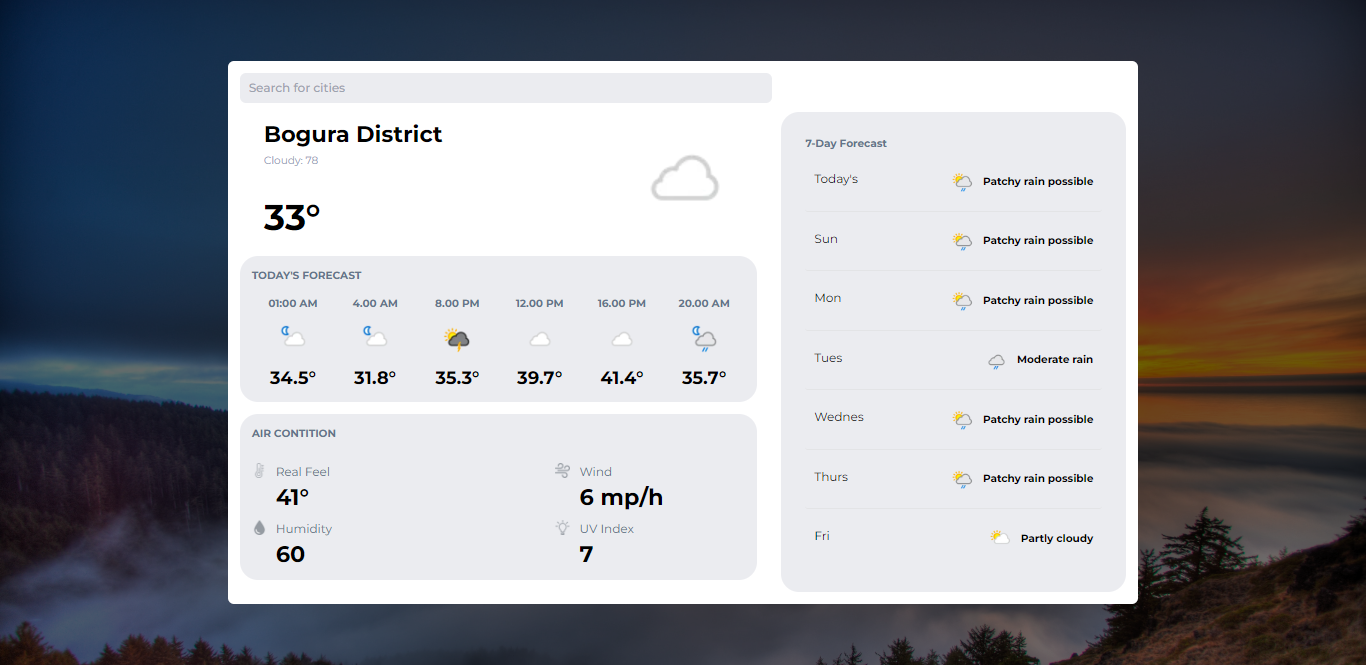
A weather application built using React.js and TypeScript. It utilizes Redux Toolkit for state management, Tailwind CSS for styling, and React Router DOM 6 for navigation.
- Get current weather information for a specific location
- Display temperature, humidity, wind speed, and weather conditions
- Supports both metric and imperial units for temperature and wind speed
- User-friendly interface with responsive design
- Navigate between different routes to view weather details for multiple locations
- Node.js (version 12 or higher) and npm (Node Package Manager)
- Clone the repository:
git clone https://github.com/your-usernameweather-application.git- Navigate to the project directory:
cd weather-application- Install the required dependencies:
npm install-
Obtain an API key from a weather data provider (e.g., OpenWeatherMap) by creating an account on their website.
-
Create a .env file in the project root directory and add the following content:
 REACT_APP_SERVER_URL= url or use 'http://api.weatherapi.com/v1'
 REACT_APP_AUTOCOMPLETE = url or 'https://us1.locationiq.com'
 REACT_APP_API_KEY_FOR_AUTOCOMPLETE = api_key or 'pk.783d8e32aa8e21d9db146d7da763ee61'
 REACT_APP_API_KEY = api_key or 'a05f026641af48559c074315232006'
if you have own api key, Replace your-api-key with the API key obtained in the previous step.
To start the development server, run the following command:
npm installThis will start the application and open it in your default web browser. You can also access it at http://localhost:3000.
Use the search bar to enter a location and press Enter or click the Search button. The application will display the current weather data for the specified location, including temperature, humidity, wind speed, and weather conditions.
You can switch between metric and imperial units by clicking the unit toggle button in the top-right corner of the weather display.
To build the application for production, use the following command:
npm run buildThis will create an optimized production-ready build in the build directory.
Contributions are welcome! If you find any issues or have suggestions for improvement, please open an issue or submit a pull request.
This project is licensed under the MIT License.
- Thanks to weatherapi{:target="_blank"} for providing the weather data API.
- This project was built using React.js, TypeScript, Redux Toolkit, Tailwind CSS, and React Router DOM 6.