Skip to content

Upgrade react-native-vision-camera from v4 to v5 - #102898

Merged
AndrewGable merged 24 commits into
Expensify:mainfrom
callstack-internal:chore/upgrade-vision-camera-v5-102514
Oct 22, 2026
Merged

AndrewGable merged 24 commits into
Expensify:mainfrom
callstack-internal:chore/upgrade-vision-camera-v5-102514

Conversation

@OlimpiaZurek

@OlimpiaZurek OlimpiaZurek commented Oct 2, 2026 •

Copy link
Copy Markdown
Contributor

Explanation of Change

Upgrades react-native-vision-camera from ^4.7.2 to 5.2.3 and adds its required peer react-native-nitro-image 0.15.2. V5 rewrote the camera session code that the patch fixed, so this PR removes the patch (patches/react-native-vision-camera/) and the disableFrameProcessors flag.**

The receipt scan, attachment and odometer cameras all move to the V5 API.

Capture

  • iOS: V5 has no snapshot on iOS (V4 faked it with a hidden video output), so every receipt is a full photo with qualityPrioritization: 'speed', and we prepare the photo settings after every configure, as recommended. This also fixes the low iOS receipt quality ([Due for payment 2026-10-20] SmartScan captures lower-quality images than the native iOS Camera app #99615): receipts are 2592×1944 photos now, not 1440×1920 video frames, and a capture takes about 75 to 100 ms (V4 snapshot p50: 60 ms).
  • Android: the plain portrait capture still uses the preview snapshot. Flash and landscape take a full photo, as in V4.
  • The receipt upgrade from Improve scanned receipt quality without slowing the shutter #100592 (a full photo taken next to the snapshot and swapped in behind it) now captures through the V5 photo output. It never runs on iOS, where every capture is already a full photo. On Android it upgrades the snapshot as before.
  • A shared helper, src/libs/cameraCapture, saves photos as JPEG (V5 defaults to HEIC on iOS) straight into the receipts folder and disposes the in-memory photo after the write.
  • The shutter sound matches V4: the plain iOS capture is silent, flash and landscape follow the mute switch.

Camera setup

  • Outputs and constraints replace formats. The viewfinder starts at 4:3 and switches to the size the camera saves (currentResolution) once configured.
  • Multi-lens iPhones open on the wide lens (V4's neutralZoom, which V5 dropped). We pick the wide and ultra-wide device ourselves, because V5's physicalDevices filter can't rank it.
  • We leave zoom unset when it would be 1. Setting it hits a V5 race on Android where CameraX rejects the zoom with "Camera is not active".
  • When you come back to Scan, iOS keeps showing the previous session's last frame until the restarted camera delivers a new one, so the viewfinder looked frozen and blurry. We now hide the preview until V5's onPreviewStarted and restart the camera on the ultra-wide lens until then. A close receipt is sharp right away; before, iOS took about a second to switch to the macro lens.
  • Tap to focus uses focusTo with explicit modes. We no longer log focus requests that a newer tap cancelled.
  • Calls into VisionCamera go through fromNitro, so a synchronous throw (for example takeSnapshot before the preview attaches) reaches the error handling and no longer locks the shutter.

Telemetry and logging

  • The camera-init span ends on onConfigured (the point V4 reported as onInitialized) and reports the session's autofocus system (iOS only), the lens count and the wide-lens zoom. V5 doesn't expose V4's format list, so we removed the three attributes built on it.
  • V5 errors have no code, so we group camera errors by the first line of the message.

While testing I found an Android bug that main has too: leaving Scan during a flash capture shows a "Camera error" alert on the next screen. fixes it separately.

Fixed Issues

$ #102514
PROPOSAL:

Tests

Receipt scan

  1. Open Create expense > Scan.
  2. Verify the camera opens at the same framing as the native Camera app at 1x, not the 0.5x ultra-wide.
  3. Verify the viewfinder is 4:3 and does not jump after the camera starts.
  4. Hold the phone in portrait, flash off, and tap the shutter.
  5. Verify the confirmation page opens with the receipt upright and sharp, with no "Camera error" alert.
  6. iOS: verify no shutter sound plays.
  7. Android: wait a few seconds on the confirmation page and verify the receipt preview refreshes to the full-resolution photo and stays upright.
  8. Go back to Scan with the receipt close to the camera. Verify the viewfinder doesn't show a frozen or blurry old frame and the live camera is sharp right away.
  9. Turn the flash on and capture again. Verify the flash fires, the photo is saved and, unless the phone is muted, the shutter sound plays.
  10. Capture with the phone held in landscape (Android). Verify the photo is saved.
  11. Tap the viewfinder to focus, including two quick taps. Verify the focus indicator shows and no error appears.
  12. Turn on multi-scan, take three captures in a row and submit. Verify all three receipts are attached.
  13. Submit an expense from a scanned receipt and verify the receipt shows on the expense.

Attachment camera
14. In any chat, tap + > Take photo.
15. Verify the back camera opens at 1x. Capture and verify the attachment preview is upright.
16. Flip to the front camera and capture again.
17. Close the camera while a capture is in progress and verify nothing breaks.

Odometer
18. Create a distance expense with the odometer option and take the start photo.
19. Verify the cropped photo is upright and saved.
20. Go back to the odometer camera and verify the viewfinder is sharp, with no frozen old frame.

Camera teardown (the dropped iOS patch)
21. Open Scan and leave the screen right away. Repeat a few times.
22. Tap the shutter and leave the screen during the capture. Repeat a few times.
23. Tap the shutter and leave the confirmation page immediately. Repeat a few times.
24. Verify the app doesn't hang or crash, and the camera works when you come back.

Other
25. Background the app while on Scan and return. Verify the camera resumes.
26. Deny camera permission and open Scan. Verify the permission prompt shows.

  • Verify that no errors appear in the JS console

Offline tests

QA Steps

// TODO: These must be filled out, or the issue title must include "[No QA]."

  • Verify that no errors appear in the JS console

PR Author Checklist

  • I linked the correct issue in the ### Fixed Issues section above
  • I wrote clear testing steps that cover the changes made in this PR
    • I added steps for local testing in the Tests section
    • I added steps for the expected offline behavior in the Offline steps section
    • I added steps for Staging and/or Production testing in the QA steps section
    • I added steps to cover failure scenarios (i.e. verify an input displays the correct error message if the entered data is not correct)
    • I turned off my network connection and tested it while offline to ensure it matches the expected behavior (i.e. verify the default avatar icon is displayed if app is offline)
    • I tested this PR with a High Traffic account against the staging or production API to ensure there are no regressions (e.g. long loading states that impact usability).
  • I included screenshots or videos for tests on all platforms
  • I ran the tests on all platforms & verified they passed on:
    • Android: Native
    • Android: mWeb Chrome
    • iOS: Native
    • iOS: mWeb Safari
    • MacOS: Chrome / Safari
  • I verified there are no console errors (if there's a console error not related to the PR, report it or open an issue for it to be fixed)
  • I followed proper code patterns (see Reviewing the code)
    • I verified that any callback methods that were added or modified are named for what the method does and never what callback they handle (i.e. toggleReport and not onIconClick)
    • I verified that comments were added to code that is not self explanatory
    • I verified that any new or modified comments were clear, correct English, and explained "why" the code was doing something instead of only explaining "what" the code was doing.
    • I verified any copy / text shown in the product is localized by adding it to src/languages/* files and using the translation method
      • If any non-english text was added/modified, I used JaimeGPT to get English > Spanish translation. I then posted it in #expensify-open-source and it was approved by an internal Expensify engineer. Link to Slack message:
    • I verified all numbers, amounts, dates and phone numbers shown in the product are using the localization methods
    • I verified any copy / text that was added to the app is grammatically correct in English. It adheres to proper capitalization guidelines (note: only the first word of header/labels should be capitalized), and is either coming verbatim from figma or has been approved by marketing (in order to get marketing approval, ask the Bug Zero team member to add the Waiting for copy label to the issue)
    • I verified proper file naming conventions were followed for any new files or renamed files. All non-platform specific files are named after what they export and are not named "index.js". All platform-specific files are named for the platform the code supports as outlined in the README.
    • I verified the JSDocs style guidelines (in STYLE.md) were followed
  • If a new code pattern is added I verified it was agreed to be used by multiple Expensify engineers
  • I followed the guidelines as stated in the Review Guidelines
  • I tested other components that can be impacted by my changes (i.e. if the PR modifies a shared library or component like Avatar, I verified the components using Avatar are working as expected)
  • I verified all code is DRY (the PR doesn't include any logic written more than once, with the exception of tests)
  • I verified any variables that can be defined as constants (ie. in CONST.ts or at the top of the file that uses the constant) are defined as such
  • I verified that if a function's arguments changed that all usages have also been updated correctly
  • If any new file was added I verified that:
    • The file has a description of what it does and/or why is needed at the top of the file if the code is not self explanatory
  • If a new CSS style is added I verified that:
    • A similar style doesn't already exist
    • The style can't be created with an existing StyleUtils function (i.e. StyleUtils.getBackgroundAndBorderStyle(theme.componentBG))
  • If new assets were added or existing ones were modified, I verified that:
    • The assets are optimized and compressed (for SVG files, run npm run compress-svg)
    • The assets load correctly across all supported platforms.
  • If the PR modifies code that runs when editing or sending messages, I tested and verified there is no unexpected behavior for all supported markdown - URLs, single line code, code blocks, quotes, headings, bold, strikethrough, and italic.
  • If the PR modifies a generic component, I tested and verified that those changes do not break usages of that component in the rest of the App (i.e. if a shared library or component like Avatar is modified, I verified that Avatar is working as expected in all cases)
  • If the PR modifies a component related to any of the existing Storybook stories, I tested and verified all stories for that component are still working as expected.
  • If the PR modifies a component or page that can be accessed by a direct deeplink, I verified that the code functions as expected when the deeplink is used - from a logged in and logged out account.
  • If the PR modifies the UI (e.g. new buttons, new UI components, changing the padding/spacing/sizing, moving components, etc) or modifies the form input styles:
    • I verified that all the inputs inside a form are aligned with each other.
    • I added Design label and/or tagged @Expensify/design so the design team can review the changes.
  • If a new page is added, I verified it's using the ScrollView component to make it scrollable when more elements are added to the page.
  • I added unit tests for any new feature or bug fix in this PR to help automatically prevent regressions in this user flow.
  • If the main branch was merged into this PR after a review, I tested again and verified the outcome was still expected according to the Test steps.

Screenshots/Videos

Android: Native
Android: mWeb Chrome
iOS: Native
iOS: mWeb Safari
MacOS: Chrome / Safari

@github-actions

github-actions Bot commented Oct 2, 2026

Copy link
Copy Markdown
Contributor

⚠️ This PR is possibly changing native code and/or updating libraries, it may cause problems with HybridApp. Please check if any patch updates are required in the HybridApp repo and run an AdHoc build to verify that HybridApp will not break. Ask Contributor Plus for help if you are not sure how to handle this. ⚠️

@codecov

codecov Bot commented Oct 2, 2026 •

Copy link
Copy Markdown

Codecov Report

❌ Looks like you've decreased code coverage for some files. Please write tests to increase, or at least maintain, the existing level of code coverage. See our documentation here for how to interpret this table.

Files with missing lines Coverage Δ
src/CONST/index.ts 95.90% <ø> (ø)
...c/components/AttachmentPicker/AttachmentCamera.tsx 87.61% <100.00%> (-0.24%) ⬇️
src/hooks/useReceiptPhotoOutput.ts 100.00% <100.00%> (ø)
src/libs/ReceiptStorage/index.native.ts 92.97% <ø> (ø)
src/libs/cameraCapture/getWideLensZoom.ts 100.00% <100.00%> (ø)
src/libs/cameraCapture/platformConfig/index.ios.ts 100.00% <100.00%> (ø)
src/libs/cameraCapture/selectWideCameraDevice.ts 100.00% <100.00%> (ø)
src/libs/fileDownload/getPhotoSource/index.ts 100.00% <100.00%> (ø)
.../step/IOURequestStepOdometerImage/index.native.tsx 72.22% <100.00%> (-0.39%) ⬇️
...questStepScan/captureReceipt/getReceiptFilePath.ts 100.00% <100.00%> (ø)
... and 16 more
... and 9 files with indirect coverage changes

@OlimpiaZurek

Copy link
Copy Markdown
Contributor Author

@codex review

@OlimpiaZurek

Copy link
Copy Markdown
Contributor Author

@MelvinBot review

@MelvinBot

Copy link
Copy Markdown
Contributor

Code review

The migration looks solid. I found one bug worth fixing before merge, plus a few smaller items.

I checked the v5.2.3 source to confirm several assumptions in the PR, and they hold:

  • usePhotoOutput is memoized on option identity, so the module-level PHOTO_TARGET_RESOLUTION constants are correct.
  • <Camera> memoizes outputs, constraints, and callbacks internally, so inline arrays and handlers don't trigger a reconfigure.
  • currentResolution reports sensor (landscape) dimensions on both platforms, which matches how getCameraAspectRatio uses it.
  • saveToFileAsync needs a plain path to a file that doesn't exist yet. preparePath handles that, and the unique filenames handle the rest.

1. Snapshot capture can lock the shutter (Android)

In v5, CameraRef.takeSnapshot() throws synchronously (Camera Preview is not yet ready!) when the preview view isn't attached yet. It doesn't return a rejected promise.

src/libs/cameraCapture/index.ts:47 calls camera.takeSnapshot().then(...), so that error escapes the promise chain. In Camera/index.native.tsx:174-177, isCapturingPhoto.current is already true, and the .catch never runs. The shutter stays dead until remount, the capture span is never cancelled, and the user sees no alert.

Fix: start the chain inside a promise so sync throws become rejections. For example: Promise.resolve().then(() => camera.takeSnapshot()).then(...).

2. Smaller items

  • iOS shutter sound: captureReceipt/index.ts:24 now always mutes iOS. Before, iOS flash and landscape captures used takePhoto, which played the sound unless the device was muted. If you did this on purpose to match PREPARED_IOS_PHOTO_SETTINGS, a one-line comment would help.
  • Dead telemetry attributes: getCameraCapabilityAttributes.ts:17-20 always sends three attributes as undefined. Consider removing them and their CONST keys, so dashboards don't show them as silently missing.
  • Dropped iOS patch: the removed v4 patch fixed a teardown hang ([Sentry: APP-7FJ] HybridApp iOS Fatal App Hang at main) and a configuration crash ([Sentry: APP-JB3] HybridApp iOS AVCaptureSession stopRunning during CameraSession.configure). Please add QA steps that leave the scan screen quickly, during and right after capture, to confirm v5 doesn't bring them back.
  • HybridApp: the HybridApp build checks were skipped. This PR adds a native dependency (react-native-nitro-image) and removes a patch, so please run an AdHoc build as the bot comment asks.
  • PR body: Explanation, Fixed Issues, Tests, Offline tests, and QA are still the empty template.

I didn't run a web test. All of the changed camera code is native-only.


view run

@OlimpiaZurek

Copy link
Copy Markdown
Contributor Author

@MelvinBot review

@MelvinBot

Copy link
Copy Markdown
Contributor

Code review (re-review after c685779)

The fixes from my last review work. I found no new bugs in the camera code. The one failing Jest suite is not caused by this PR.

Fixed since last review

  • Snapshot shutter lock: fromNitro runs the call inside a promise executor, so a synchronous takeSnapshot throw now reaches the caller's .catch. It wraps every Nitro call, so the odometer and attachment cameras are covered too.
  • iOS shutter sound: captureReceipt mutes only the portrait, no-flash photo that replaces the v4 snapshot. This matches v4.
  • getZoomProp: I checked v5.2.3. When zoom is undefined, useZoomUpdater skips setZoom, and the session keeps the native default of 1. iPhones with an ultra-wide lens still get their wide-lens zoom.

Failing check: test (job 1)

SearchEditMultipleTagPageTest fails with ReferenceError: Request is not defined. The cause is on main:

Workaround if you want green CI here: mock the hook in that test, next to the other mocks:

jest.mock('@hooks/useLoadPolicyTags', () => ({__esModule: true, default: () => ({isLoadingPolicyTags: false})}));

Still open from last review

  • HybridApp: the iOS and Android HybridApp build checks were skipped again. Please run an AdHoc build, because this PR adds react-native-nitro-image and removes the iOS patch.
  • Dropped iOS patch: please add QA steps that leave the scan screen quickly, both during and right after capture. This covers the teardown hang and the configure crash the patch fixed.
  • PR body: Explanation, Fixed Issues, Tests, Offline tests, and QA still contain only the empty template.
  • Nit: getCameraCapabilityAttributes.ts:17-20 still sends three attributes that are always undefined. You could drop them.

I didn't run a web test, because all the changed camera code is native-only. I also couldn't run Jest in this environment, so the CI verdict above comes from the CI logs and a code trace.


view run

…n-camera-v5-102514

# Conflicts:
#	src/pages/iou/request/step/IOURequestStepScan/components/Camera/index.native.tsx
#	src/pages/iou/request/step/IOURequestStepScan/components/CameraViewport.tsx
# Conflicts:
#	src/components/AttachmentPicker/AttachmentCamera.tsx
#	tests/ui/components/AttachmentCameraTest.tsx
@OlimpiaZurek
OlimpiaZurek force-pushed the chore/upgrade-vision-camera-v5-102514 branch from d39db50 to d68e148 Compare October 14, 2026 09:47
@OlimpiaZurek

Copy link
Copy Markdown
Contributor Author

@MelvinBot review

@MelvinBot

Copy link
Copy Markdown
Contributor

Code review (re-review after fe9d6ee)

The three new commits look good, and all CI checks pass except the approval gate. I found two small risks in the new code, both edge cases. Neither blocks the merge.

1. Android rotation fallback is always 90° now

rotatePhotoToUpright.ts:21-22 always turns a landscape-decoded photo 90°. It no longer uses the capture orientation to choose between 90° and 270°.

  • On Android, v5 doesn't write the rotation itself. HybridPhoto.kt saves CameraX's JPEG bytes as is and relies on the camera HAL having set the EXIF orientation (see its comment at L191-192).
  • On most devices the EXIF is present. This fallback never runs there, so the change is fine.
  • On a device whose HAL skips the EXIF, a sensor mounted at 270°, or a tablet held upside-down in portrait, the upgraded receipt now ends up upside down. Your old Galaxy S20 FE test shows that some devices did reach this fallback in v4.

Suggestion: v5's Photo still has orientation. Pass it through CapturedPhoto and keep the 90°/270° choice. Alternatively, confirm with the [PhotoUpgrade] rotated the full-resolution photo logs (exifRotation: 0) that no device reaches this fallback any more.

2. iOS: the shutter works while the preview is hidden

While isPreviewLive is false, CameraViewport.tsx:144-145 sets zoom 1, which is the ultra-wide lens. Nothing stops a capture in that state: capturePhoto doesn't check isPreviewLive.

  • If the user taps the shutter on the black viewfinder, they get a 0.5x photo, or a "Camera error" if the session hasn't started yet.
  • When the preview appears, setZoom(N) runs in a passive effect after the opacity change. Expect one or a few ultra-wide frames before the viewfinder snaps to 1x.

Suggestion, if you think it's worth it: ignore shutter taps on iOS until the preview is live. You could also reveal the view only after controller.setZoom(N) resolves. Please add a check for the zoom flash to QA step 8.

What I verified
  • No callback loop: onPreviewStarted and onPreviewStopped come from KVO on AVCaptureVideoPreviewLayer.isPreviewing (HybridPreviewView.swift:126-166). A zoom change only sets videoZoomFactor (HybridCameraController.swift:153-168). It never stops the preview, so the callbacks can't loop.
  • Viewfinder can't stay hidden in normal use: the KVO observer skips its .initial event. The viewfinder would stay hidden only if the layer were already previewing when the observer attached. The session starts after configure, so that doesn't happen in practice.
  • Upgrade scope: the photo upgrade runs only on Android, in portrait, with no flash and multi-scan off (Camera/index.native.tsx, captureReceipt). Issue 1 can't affect iOS or landscape.
  • Earlier items: the dead telemetry attributes are gone. The teardown QA steps (21-24) are added, and the PR body is filled in.
  • Not tested: I didn't test on a device. Every changed path is native-only, so a web test wouldn't cover it.

Still open

  • HybridApp: the HybridApp build checks are still skipped, and I don't see an AdHoc build on the PR yet. This PR adds react-native-nitro-image and drops the iOS patch.

view run

@OlimpiaZurek
OlimpiaZurek marked this pull request as ready for review October 14, 2026 12:01
@OlimpiaZurek
OlimpiaZurek requested a review from a team as a code owner October 14, 2026 12:01
@OlimpiaZurek

Copy link
Copy Markdown
Contributor Author

Feedback/questions:

  1. Did we change when we ask the user for their location in this PR? I thought we used to do it after the photo?
  2. When taking a photo with flash, the "shutter" animation feels off. Did we change it in this PR? It seems to fire before the flash.
  1. Not from this PR. fix: submit scanned receipts without waiting on a slow location read #102191 (merged Oct 7) moved the location prompt from submit to when the Scan screen opens (ScanLocationPrompt in ScanRouter.tsx). It's already in production 9.5.14-3, so prod behaves the same.
  2. The blink code is unchanged. On main and here, showBlink() runs on the shutter tap, before the capture starts, so with flash it has always fired before the flash.
    v5 has an onWillCapturePhoto callback that fires at the real capture moment (after the flash's metering burst on iOS). If needed, we could start the blink from that callback for photo captures instead of on tap. capturePhotoToPath currently passes {} as the callbacks.

I moved the blink to onWillCapturePhoto, so it now matches the actual capture

@OlimpiaZurek

Copy link
Copy Markdown
Contributor Author

Addressed the latest feedback:

  • Camera-closed errors: isCameraClosedError now matches V5’s error messages.
  • iOS 0.5x flash: the preview is now shown only after the zoom switches to the wide lens.
  • Android black camera under another camera: fixed with a VisionCamera patch, upstream margelo/react-native-vision-camera#4229.
  • iOS camera not restarting after a media reset: fixed with a VisionCamera patch, upstream margelo/react-native-vision-camera#4230.
  • Android 'balanced' vs 'quality': keeping 'balanced' for now and will watch Sentry and receipt quality after merge.
  • iOS auto-lock and early shutter tap: checked on device and couldn’t reproduce it

@mrousavy

Copy link
Copy Markdown
Member

Regressions vs main

I found three likely regressions on native and one to test on a device. Web looks unaffected. None of these is in my earlier review. I found them by reading the code, not by running the app on a device.

  1. Android: a camera screen hidden underneath another one goes black (high severity, needs a device check). On Android, V5 calls cameraProvider.unbindAll() on the shared process-wide CameraX provider. It does this on every configure and on teardown (HybridCameraSession.kt:66, :156). V4 unbound only its own use cases. A Scan screen that stays mounted while blurred only flips isActive (NavigationAwareCamera/Camera.tsx:13-19). Nothing rebinds it.

    • Repro: Scan → capture → on the confirmation page tap the receipt → Replace. Then capture or go back, and go back to the Scan tab.
    • Expected: a live viewfinder.
    • Likely actual: a black or frozen preview. The shutter either shows "Camera error" ("PreviewView isn't ready yet") or saves a stale frame.
  2. iOS: no automatic restart after a session runtime error. V4 called startRunning() again after any AVCaptureSessionRuntimeError while the camera was active (V4 CameraSession.swift:324-330). V5 only forwards the error (HybridCameraSession.swift:420-433). With hide-until-live, Scan stays blank (opacity 0) until you leave and come back. Repro: open Scan, then use Settings → Developer → Reset Media Services.

  3. iOS: the screen can auto-lock while a camera is open. V4 set UIApplication.shared.isIdleTimerDisabled = isActive (V4 CameraView.swift:283). V5 and the App never set it. Repro: set Auto-Lock to 30s, open Scan, Odometer or the attachment camera, and wait. The screen now dims and locks, which matters most during multi-scan.

  4. iOS: possible crash on an early shutter tap (low confidence, test on a device). On iOS every Scan capture now goes through capturePhoto. On main, a plain capture was a snapshot that never touched the photo output. The shutter isn't disabled while the preview is hidden (Camera/index.native.tsx:154-178). A tap after configure but before the session is running could hit AVFoundation's "No active and enabled video connection" exception, which JS can't catch (upstream #3633). Repro: open Scan and tap the shutter right away, while the viewfinder is still black. Gating the shutter on isPreviewLive would close this gap.

Lower-impact changes and what I ruled out
view run · no recording available

Those are interesting findings, would be great if anyone can find fixes and submit PRs to react-native-vision-camera for me to review and potentially upstream :)

@OlimpiaZurek

OlimpiaZurek commented Oct 21, 2026 •

Copy link
Copy Markdown
Contributor Author

Those are interesting findings, would be great if anyone can find fixes and submit PRs to react-native-vision-camera for me to review and potentially upstream :)

@mrousavy Already did, check this comment: #102514 (comment)

@OlimpiaZurek

Copy link
Copy Markdown
Contributor Author

@situchan Can you take a final look at the latest changes?

@situchan

Copy link
Copy Markdown
Contributor

Were you able to reproduce Melvin's regressions?

@situchan

Copy link
Copy Markdown
Contributor

Please check this one:

[iOS] Screen auto-locks while a camera is open

v4 kept the screen awake while the camera was active (UIApplication.shared.isIdleTimerDisabled = isActive in CameraView.swift, kept by main's teardown patch). v5.2.3 never sets it, none of the three patches add it, and expo-keep-awake is excluded from autolinking. Main and production stay awake.

  1. iPhone with Settings > Display & Brightness > Auto-Lock set to 30 seconds.
  2. + > Create expense > Scan.
  3. Don't touch the screen for 30 to 40 seconds. Also try the odometer camera and + > Take photo.

Expected: Screen stays on, as on main.
Actual: Screen dims and locks.

@MelvinBot

@MelvinBot

Copy link
Copy Markdown
Contributor

Confirmed. This is a real iOS regression in this PR. Android is not affected, because v4 never kept the screen on there either.

Root cause: v4's iOS CameraView.swift ran UIApplication.shared.isIdleTimerDisabled = isActive. In v5.2.3, isActive only calls session.start() / session.stop() (HybridCameraSession.swift:214-230), and nothing touches the idle timer. All three cameras (Scan, odometer, Take photo) lose the keep-awake behavior.

Recommended fix: Add a fourth v5.2.3 patch to HybridCameraSession.swift. Set isIdleTimerDisabled to true in start() and to false in stop() and deinit, dispatched to the main thread. This matches v4 and main's teardown patch, and it covers all three cameras with no JS changes.

Evidence
  • v4.7.2 sets it at ios/React/CameraView.swift:283. Main's teardown patch keeps that line and also resets it to false in deinit and deactivateCameraSession().
  • grep -r "IdleTimer\|keepScreenOn" finds no matches in the installed react-native-vision-camera@5.2.3, react-native-nitro-image, the three v5.2.3 patches, ios/, android/, or src/.
  • expo-keep-awake is in expo.autolinking.exclude (package.json:448), so you can't use useKeepAwake() without changing autolinking.
  • NavigationAwareCamera/Camera.tsx:19 (used by Scan and odometer through CameraViewport) and AttachmentCamera.tsx:322 only pass isActive.
  • v4.7.2 Android CameraView.kt never set keepScreenOn, so Android behaves the same on main and in this PR.

I verified this by reading the code only. I didn't run it on an iOS device.


view run

@mountiny

Copy link
Copy Markdown
Contributor

Did we change when we ask the user for their location in this PR? I thought we used to do it after the photo?

We changed that elsewhere to also improve performance. Asking about it earlier

@OlimpiaZurek

Copy link
Copy Markdown
Contributor Author

Confirmed. This is a real iOS regression in this PR. Android is not affected, because v4 never kept the screen on there either.

Root cause: v4's iOS CameraView.swift ran UIApplication.shared.isIdleTimerDisabled = isActive. In v5.2.3, isActive only calls session.start() / session.stop() (HybridCameraSession.swift:214-230), and nothing touches the idle timer. All three cameras (Scan, odometer, Take photo) lose the keep-awake behavior.

Recommended fix: Add a fourth v5.2.3 patch to HybridCameraSession.swift. Set isIdleTimerDisabled to true in start() and to false in stop() and deinit, dispatched to the main thread. This matches v4 and main's teardown patch, and it covers all three cameras with no JS changes.

Evidence

  • v4.7.2 sets it at ios/React/CameraView.swift:283. Main's teardown patch keeps that line and also resets it to false in deinit and deactivateCameraSession().
  • grep -r "IdleTimer\|keepScreenOn" finds no matches in the installed react-native-vision-camera@5.2.3, react-native-nitro-image, the three v5.2.3 patches, ios/, android/, or src/.
  • expo-keep-awake is in expo.autolinking.exclude (package.json:448), so you can't use useKeepAwake() without changing autolinking.
  • NavigationAwareCamera/Camera.tsx:19 (used by Scan and odometer through CameraViewport) and AttachmentCamera.tsx:322 only pass isActive.
  • v4.7.2 Android CameraView.kt never set keepScreenOn, so Android behaves the same on main and in this PR.

I verified this by reading the code only. I didn't run it on an iOS device.

view run

I couldn’t reproduce it earlier, but my test setup kept the phone awake everywhere. I added a VisionCamera patch that sets isIdleTimerDisabled while the session is running (as V4 did), and opened the upstream PR

@OlimpiaZurek

Copy link
Copy Markdown
Contributor Author

Were you able to reproduce Melvin's regressions?

@situchan Yes, and they’re fixed. Most were on the VisionCamera side, so I opened PR's there and added them as patches here until they’re released.

@situchan

Copy link
Copy Markdown
Contributor

Looks good but let's run final adhoc build @AndrewGable

@github-actions

Copy link
Copy Markdown
Contributor

🚧 AndrewGable has triggered a test Expensify/App build. You can view the workflow run here.

@github-actions

This comment has been minimized.

@AndrewGable
AndrewGable merged commit 14248f2 into Expensify:main Oct 22, 2026
46 of 48 checks passed
@MelvinBot

MelvinBot commented Oct 22, 2026 •

Copy link
Copy Markdown
Contributor

Final review (from scratch, at f4e6e8e)

I found no new regressions that block the merge. CI is green. All four VisionCamera patches are applied, and I found no crash, deadlock or restart loop in them. Two risks we discussed before are still open by choice. I also found three small issues.

Still open (you chose to accept these)

  1. iOS: you can tap the shutter while the preview is hidden. The Scan shutter checks only camera.current and isCapturingPhoto (Camera/index.native.tsx:147-156). It never reads isPreviewLive (CameraViewport.tsx:130). The patched V5 capturePhoto checks only that a video connection exists, not that it is active. You couldn't reproduce a crash. Gating the shutter on isPreviewLive would still close this gap cheaply, and Odometer has the same gap.
  2. Lower photo quality than V4. On main, every camera used "quality". Now Odometer, the attachment camera and Android Scan use 'balanced', which CameraX maps to MINIMIZE_LATENCY (platformConfig/index.ts:4, AttachmentCamera.tsx:107, OdometerImage/index.native.tsx:99). On Android, this also lowers the quality of the full-resolution upgrade photo, whose whole purpose is higher quality. You plan to watch Sentry after the merge.

New, minor

  1. Patch 002 breaks multi-camera sessions upstream. In concurrent-camera mode, CameraX rejects a partial unbind(...) and requires unbindAll(). The patch's unbindOwnUseCases() therefore throws in that mode on reconfigure and on dispose. The App never enables multi-camera, so the App isn't affected. Please fix it in fix(android): Only unbind this CameraSession's use cases instead of unbindAll(): keep unbindAll() in the multi-camera branch.
  2. Leftover V4 flag. ios/Podfile:5 still sets $VCDisableFrameProcessors = true. V5 ignores it. You removed the Android equivalent, so remove this one too.
  3. HYBRID_APP.md warning. The PR drops react-native-vision-camera from the note about Java extensions breaking patches (HYBRID_APP.md:152). Patches 001 and 002 still patch Android .kt files, so the warning still applies.
Low-risk notes and what I checked

Low-risk notes

  • Patch 003: if a second runtime error arrives within 5 s of a restart, the session stays stopped. On iOS the hidden viewfinder then stays black until you leave the screen, and patch 004 keeps the screen awake over it. This is rare and better than plain V5.
  • Patch 004: each session sets isIdleTimerDisabled directly. If one camera stops after another starts, the screen can still dim. V4 behaved the same way, and the App's cameras stop on blur, so this is hard to hit.
  • Patch 001: on iOS 16.4–17, disposing sound 1108 also mutes the shutter in regions that require it, such as Japan. V4 did the same.
  • Mobile-Expensify: I couldn't read the submodule. Please confirm it has no VisionCamera v4 flags or patches of its own. The final AdHoc build should show this.

Checked and fine

  • Patch 002: each session has its own lifecycle owner. Front/back flips and output reconfigures leave nothing stale bound.
  • Patch 003: it can't loop. It checks shouldBeRunning and runs on the same serial queue as start and stop.
  • Patch 004: it sets the flag on the main thread and clears it on stop and deinit. Nothing else in the App touches the idle timer.
  • Shutter muting: enableShutterSound: false is respected on iOS below 18, on iOS 18+ and on Android.
  • Blink: onWillCapturePhoto fires on both platforms. Nitro dispatches it to the JS thread, so the Reanimated .set is safe.
  • Hide-until-live: the start counter drops stale reveals, a failed setZoom still reveals the preview, and every stop and start cycle reveals the preview again.
  • Receipt files: toDurableName matches on the folder, not the filename, so receipt_* and odometer_* files are adopted in place. All three getPhotoSource callers pass plain paths, so the file:// prefix is correct.
  • Orientation: the attachment camera keeps V5's default 'device', which matches V4. The odometer crop reads the file's metadata. iOS picks 4032×3024 for the 2880×2160 target.
  • Dependencies: nitro-image 0.15.2 works with nitro-modules 0.37.1. The Podfile.lock churn fixes existing drift.
  • Web smoke test (partial): Scan, the odometer start photo step and the chat attachment menu load with no error overlay. The web test tool can't drive file uploads, so I couldn't test the upload step.

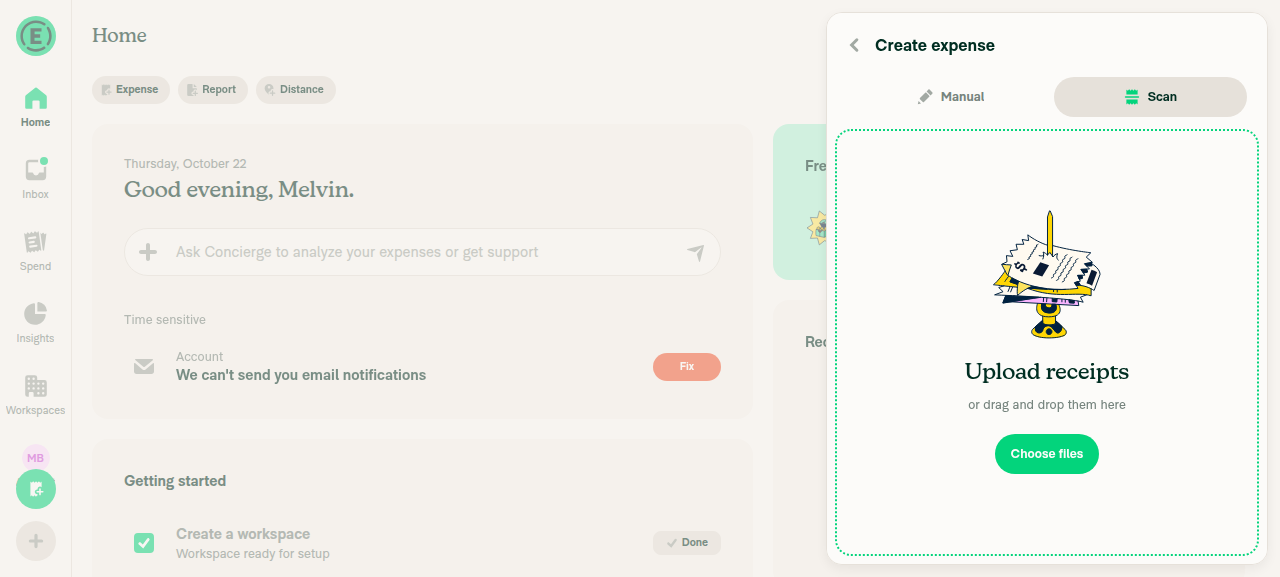
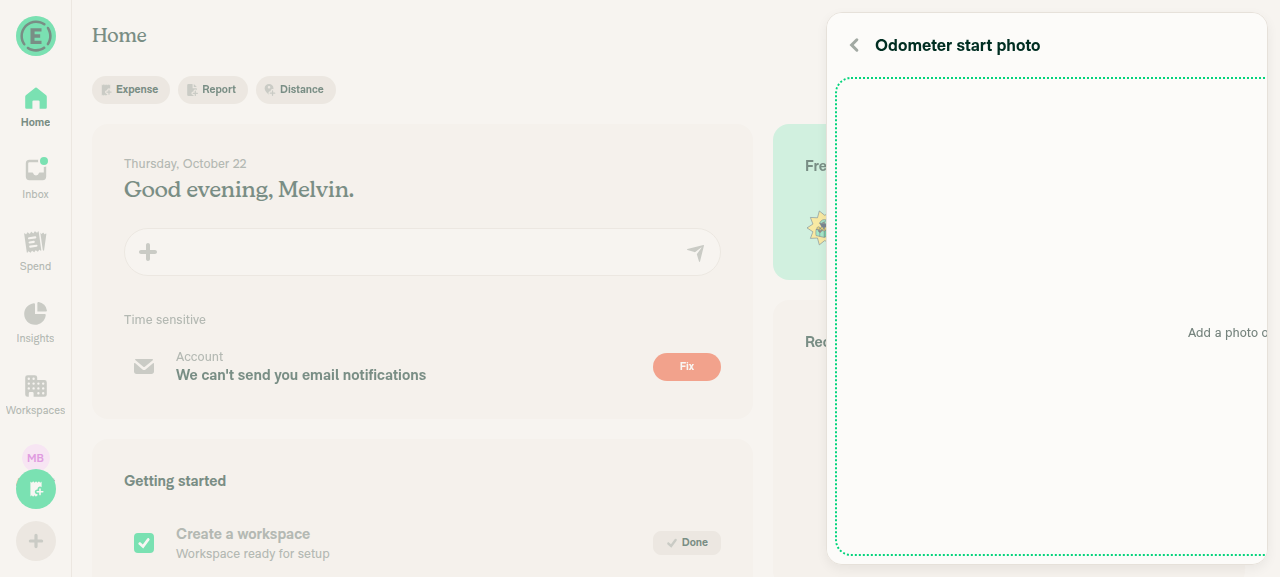
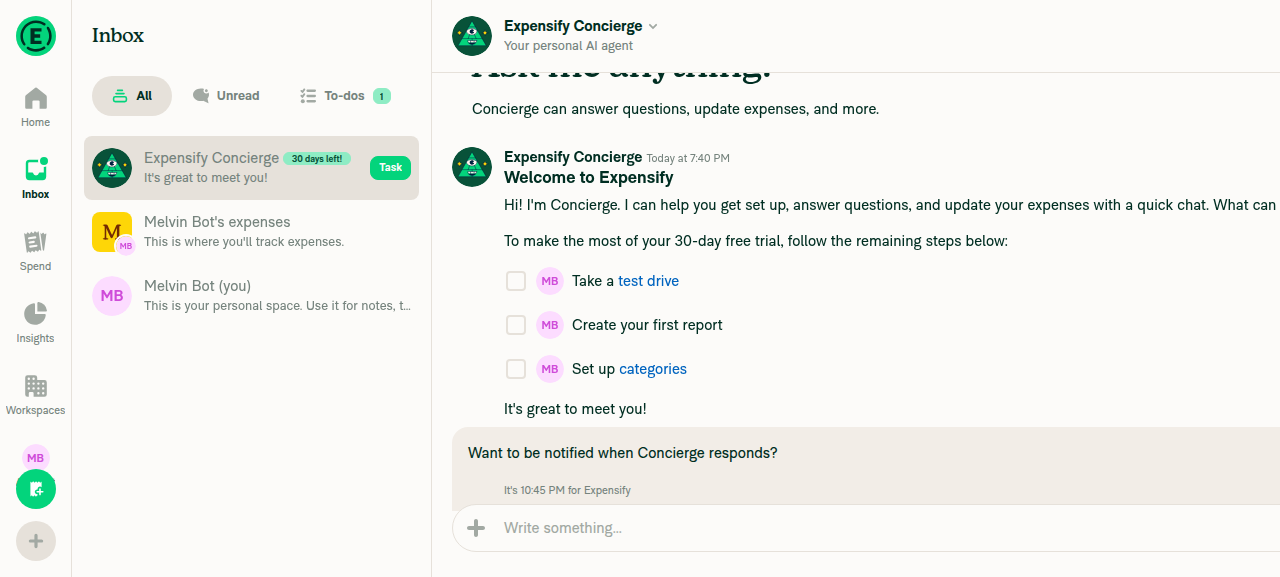
Web Scan page Web odometer start photo step Web chat after Add attachment

I reviewed the native code by reading it. I didn't test on an iOS or Android device.


view run · no recording available

@OSBotify

Copy link
Copy Markdown
Contributor

✋ This PR was not deployed to staging yet because QA is ongoing. It will be automatically deployed to staging after the next production release.

@github-actions

Copy link
Copy Markdown
Contributor

🚧 AndrewGable has triggered a test Expensify/App build. You can view the workflow run here.

@OSBotify

Copy link
Copy Markdown
Contributor

🚀 Deployed to staging by https://github.com/AndrewGable in version: 9.5.20-0 🚀

platform result
🕸 web 🕸 success ✅
🤖 android 🤖 success ✅
🍎 iOS 🍎 success ✅

@MelvinBot

Copy link
Copy Markdown
Contributor

No help site update needed. This PR upgrades the camera library and keeps the Scan, attachment and odometer camera flows the same for users, so no sentence in docs/articles is now wrong.

@OSBotify

Copy link
Copy Markdown
Contributor

🚀 Deployed to production by https://github.com/jasperhuangg in version: 9.5.20-5 🚀

platform result
🕸 web 🕸 success ✅
🤖 android 🤖 success ✅
🍎 iOS 🍎 failure ❌

Bundle Size Analysis (Sentry):

Sign up for free to join this conversation on GitHub. Already have an account? Sign in to comment

Labels

None yet

Projects

None yet

Development

Successfully merging this pull request may close these issues.

7 participants